
Restaurant operations, cost control & commerce — one ledger.
TiLedger is the system of record for kitchen, counter, and customer. Version 3.2 keeps the proven operational core and adds multiple locations, payroll and attendance, the Outlet Control report and premium report exports on top of it. A restaurant ERP is software that unifies purchasing, inventory, costing, POS, and finance into one system instead of running separate tools that never quite agree with each other. TiLedger does this with a live bill-of-materials costing engine at its centre — sales explode into raw-material consumption automatically, rather than resting on a flat cost-of-goods guess that goes stale the moment a supplier price changes.
One ledger everything reads from and writes to
True cost from the recipe up
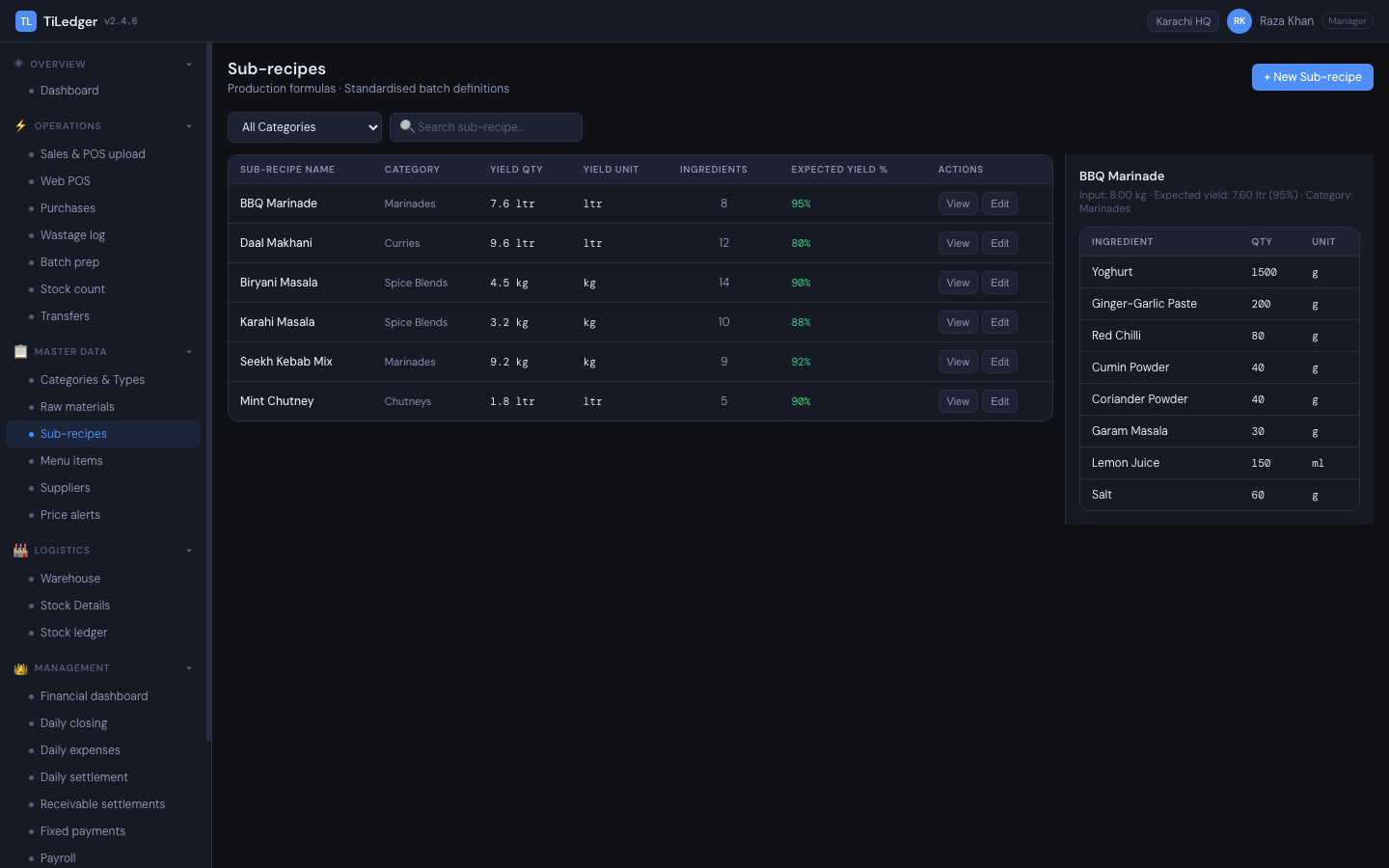
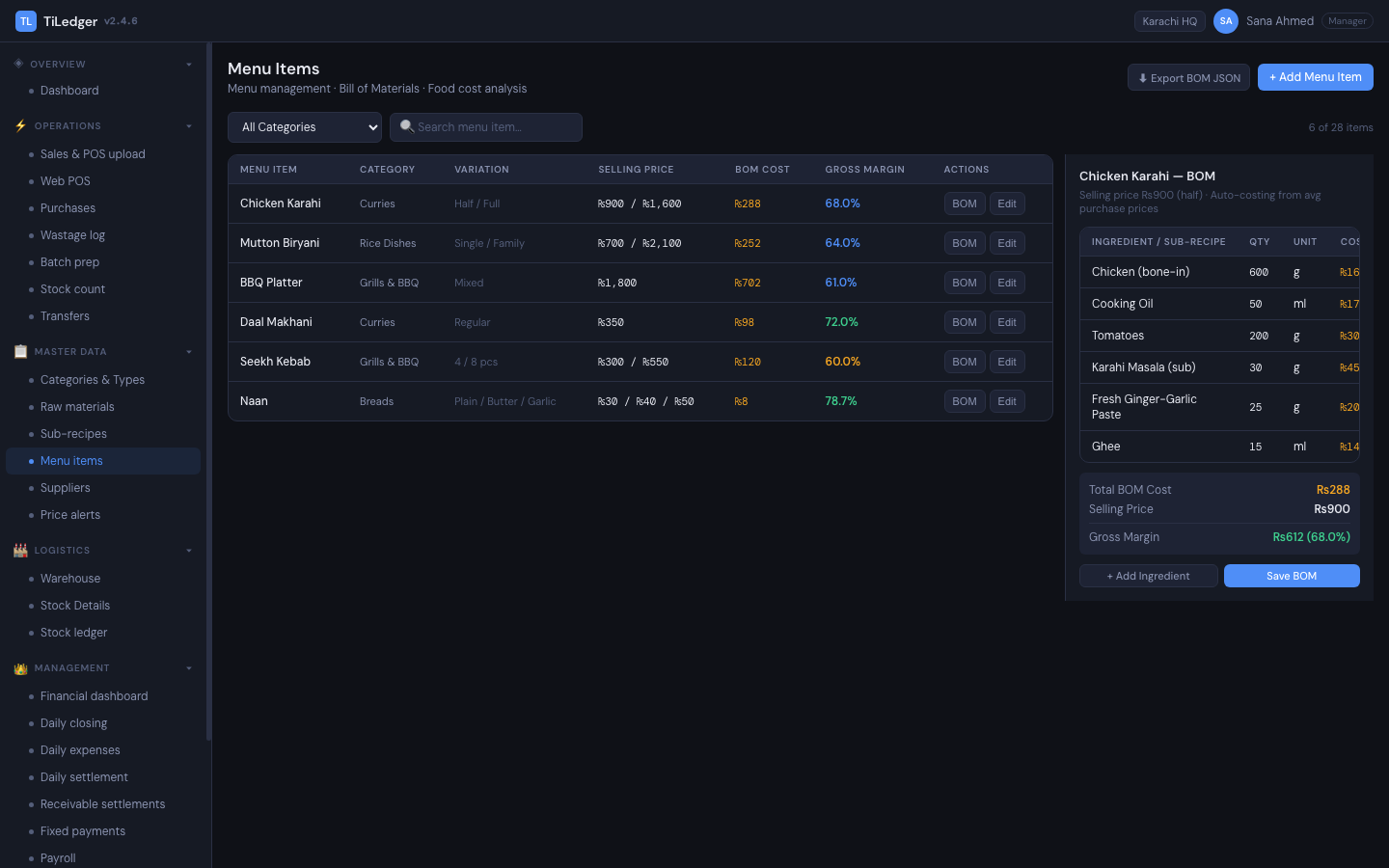
Raw materials flow into sub-recipes flow into menu items as a live bill of materials. When a sale happens, it explodes into actual consumption — not a flat cost-of-goods estimate.
A day that closes
Closing, settlement, expenses, receivables, fixed payments, and payroll run as one guided loop rather than five disconnected end-of-day tasks. Cash and inventory variance are first-class data.
POS that writes the ledger
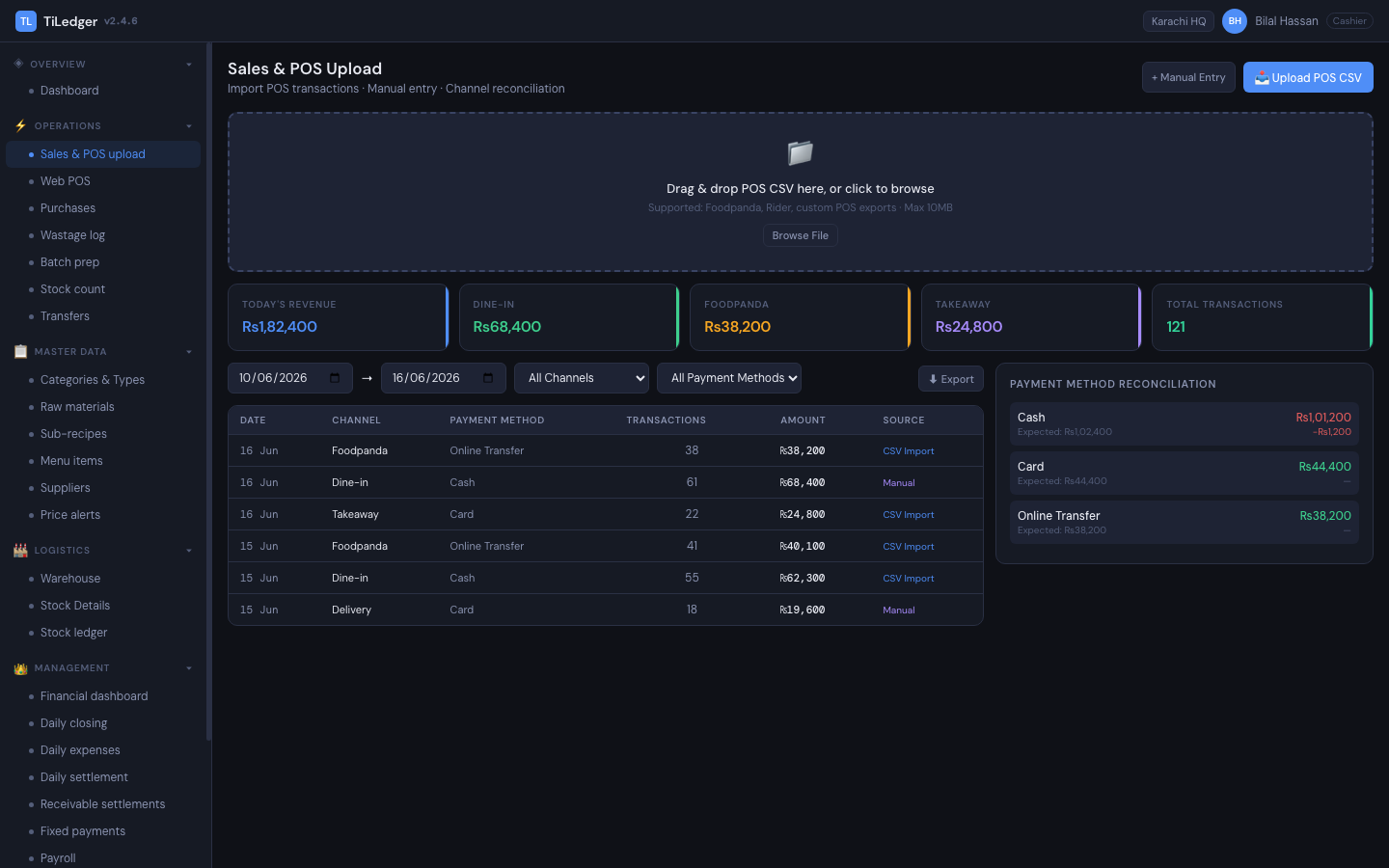
The web-based POS posts over API keys — counter sales, order-website orders and WhatsApp orders all land in the same stock and finance spine. No shadow database disagreeing with the real one.
Multi-tenant platform
Companies split into locations, with four plans priced per location, two-step sign-in, a Mutex Ops control layer, and a brand website plus order website per company — without rewriting the kitchen maths.
Frozen tiles, not hidden modules
Staff see the full product map at all times. Permissions freeze access behind a visible lock instead of hiding modules outright — keeping training and compliance conversations clear.
Brand site plus add-to-cart commerce
One marketing brand website and one order website per tenant. Guests see the restaurant's story; fulfilment still runs on TiLedger's operational truth underneath.
Every part of the restaurant, one operational spine
TiLedger ERP — the core of the system
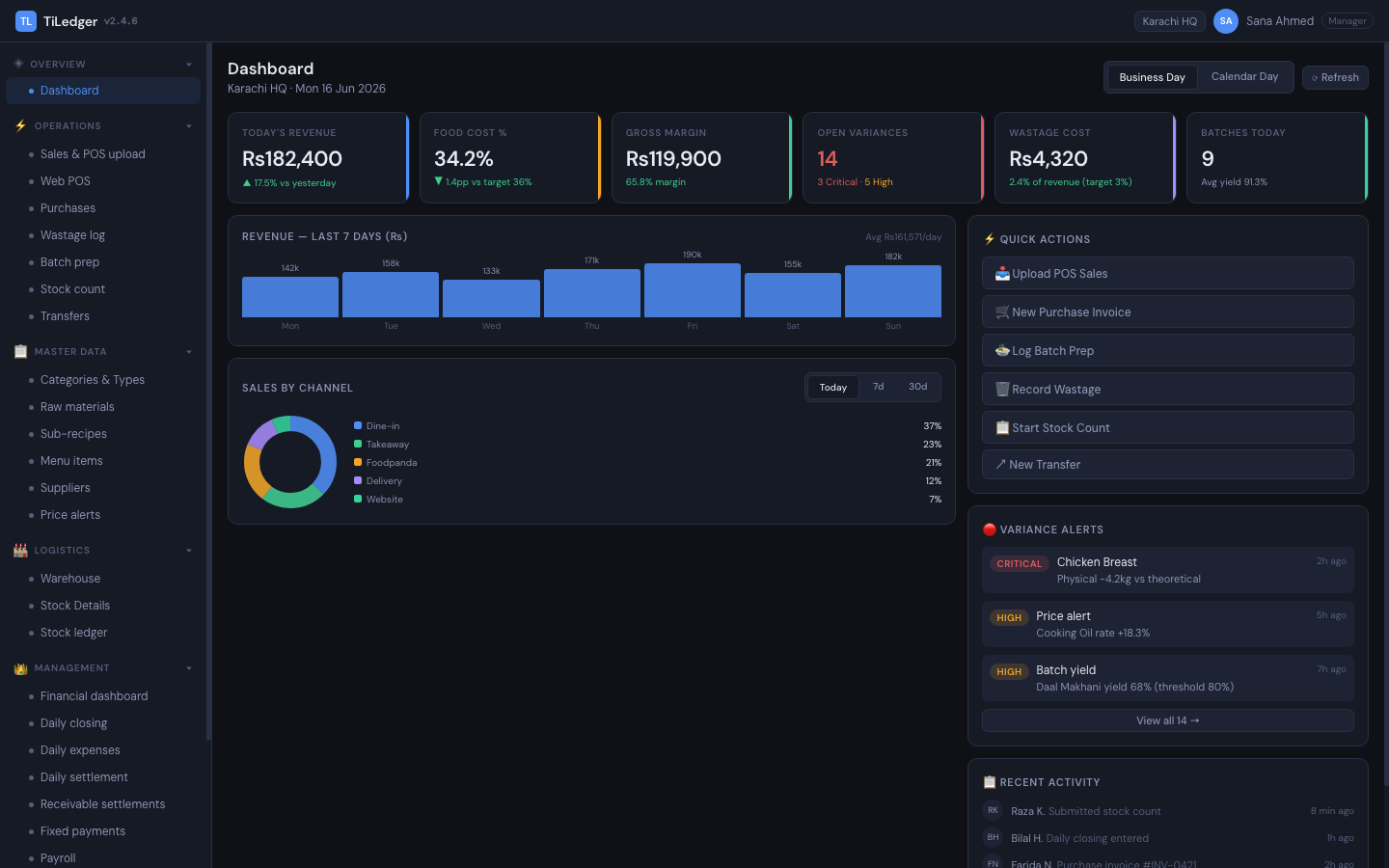
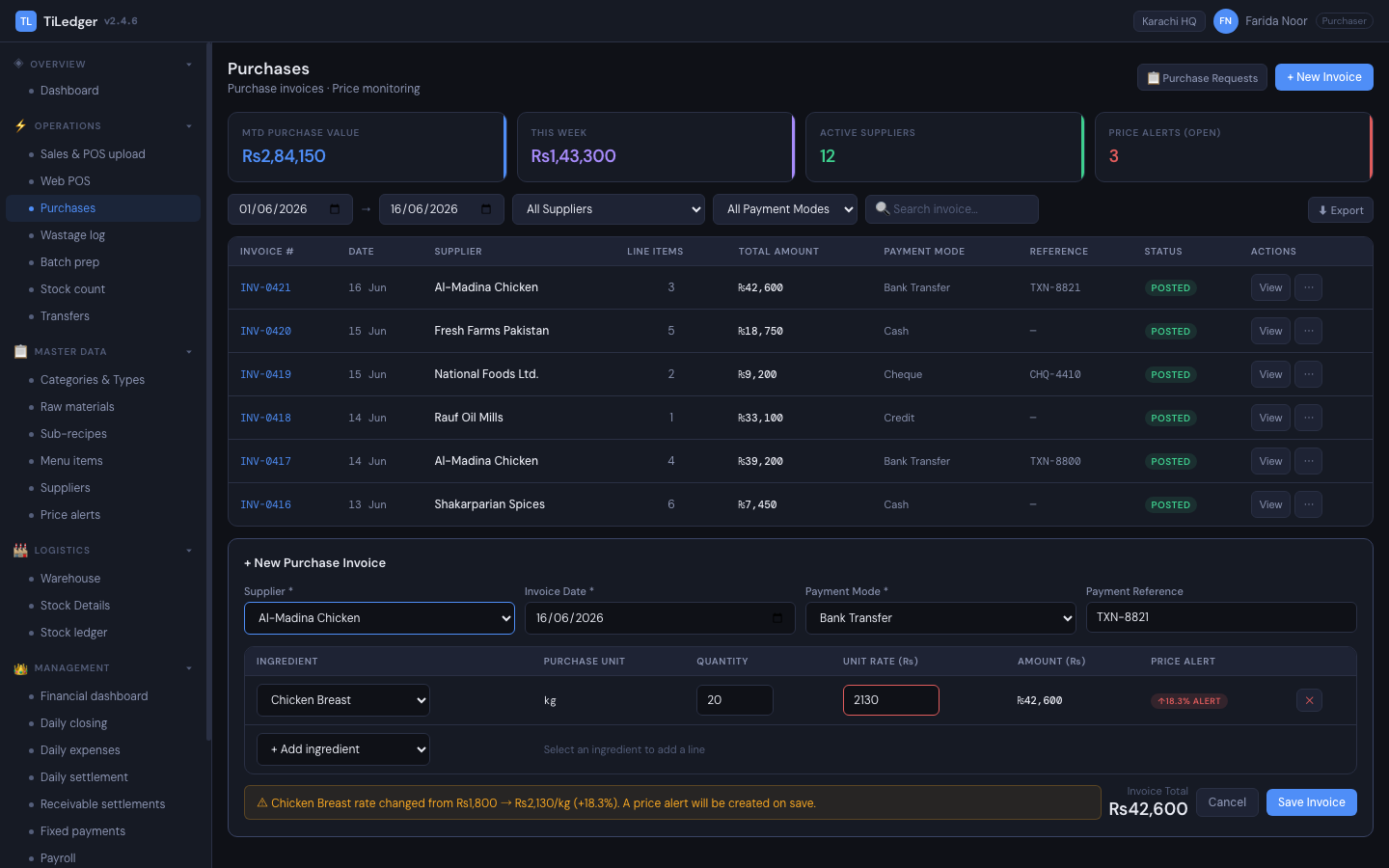
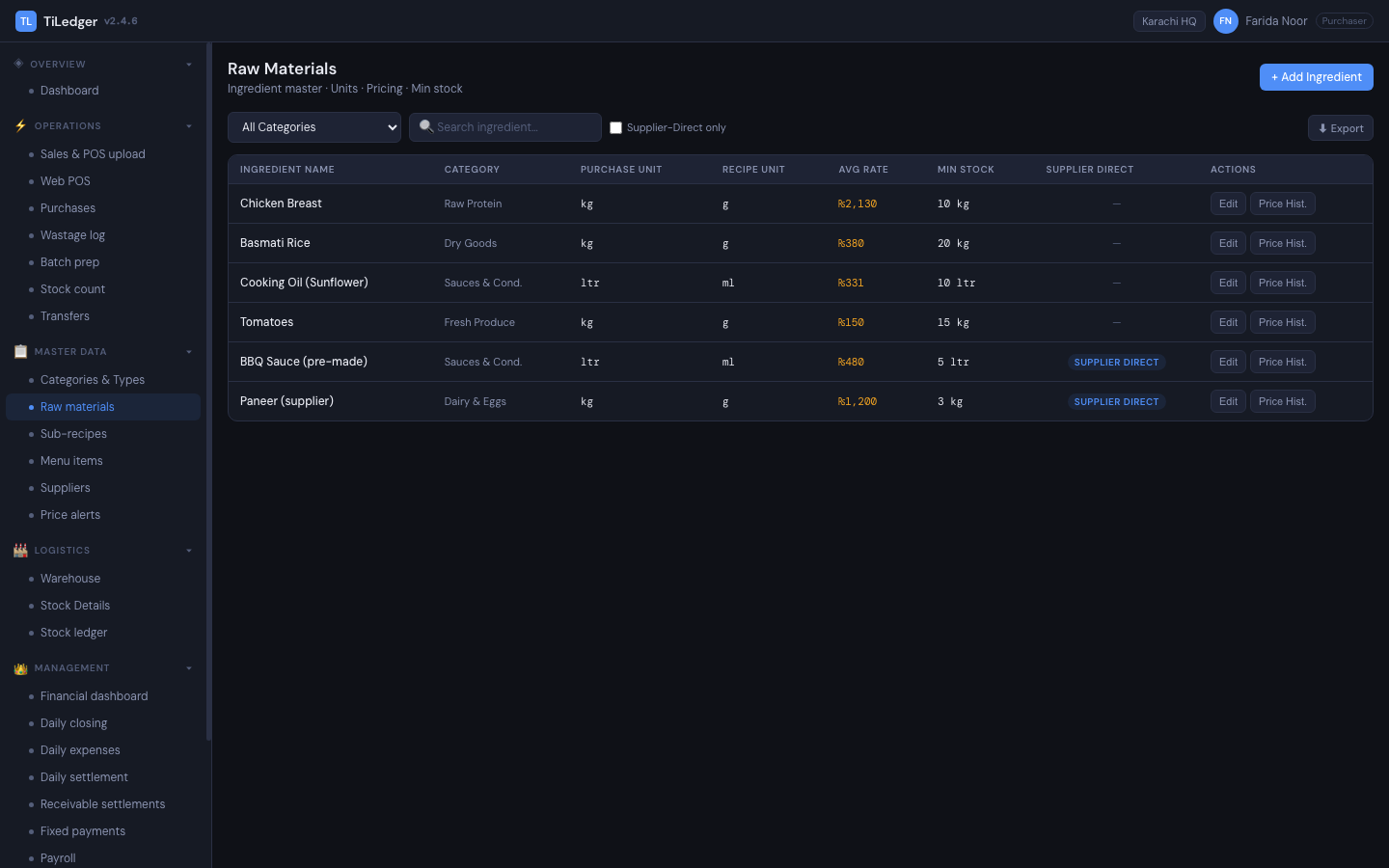
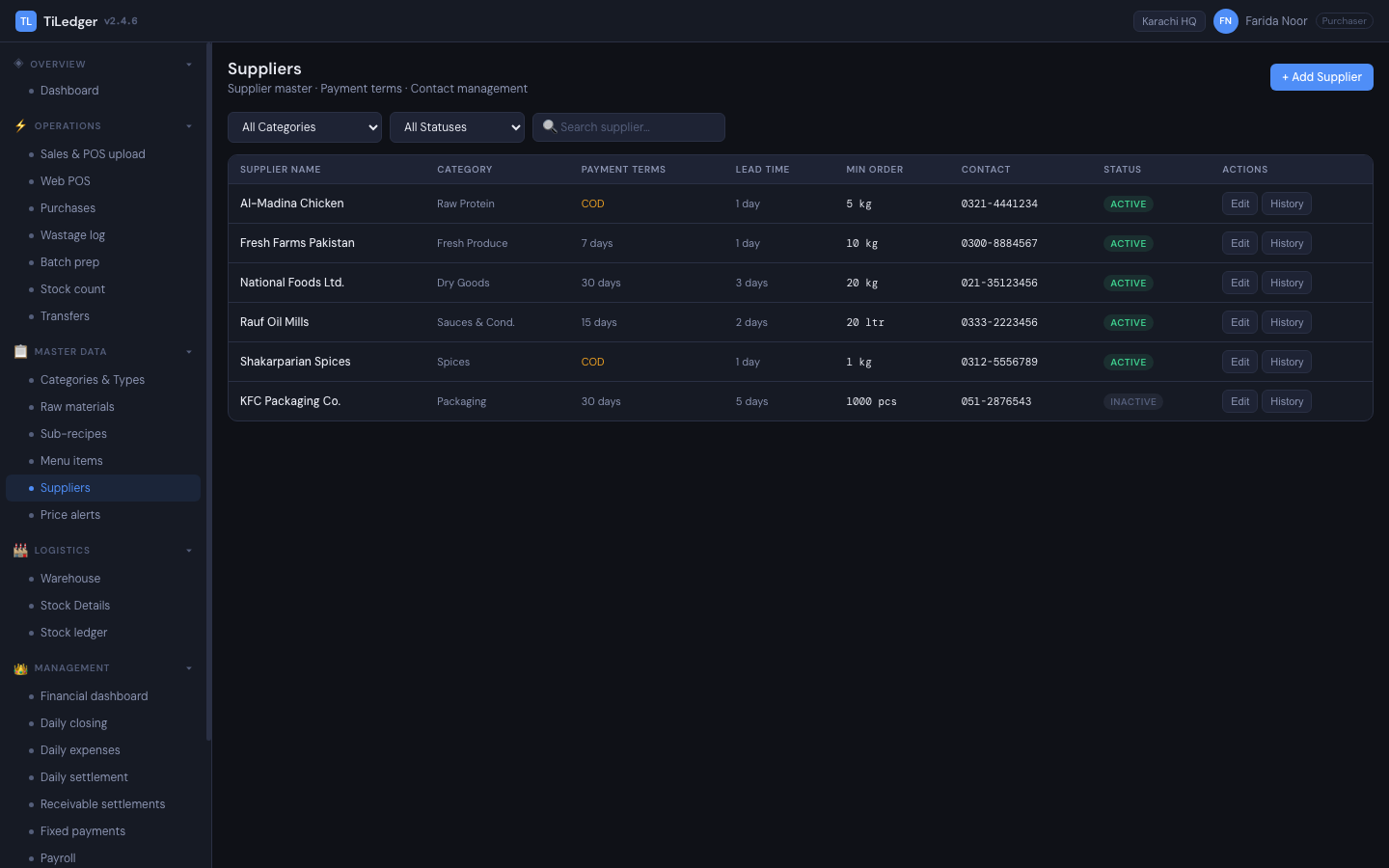
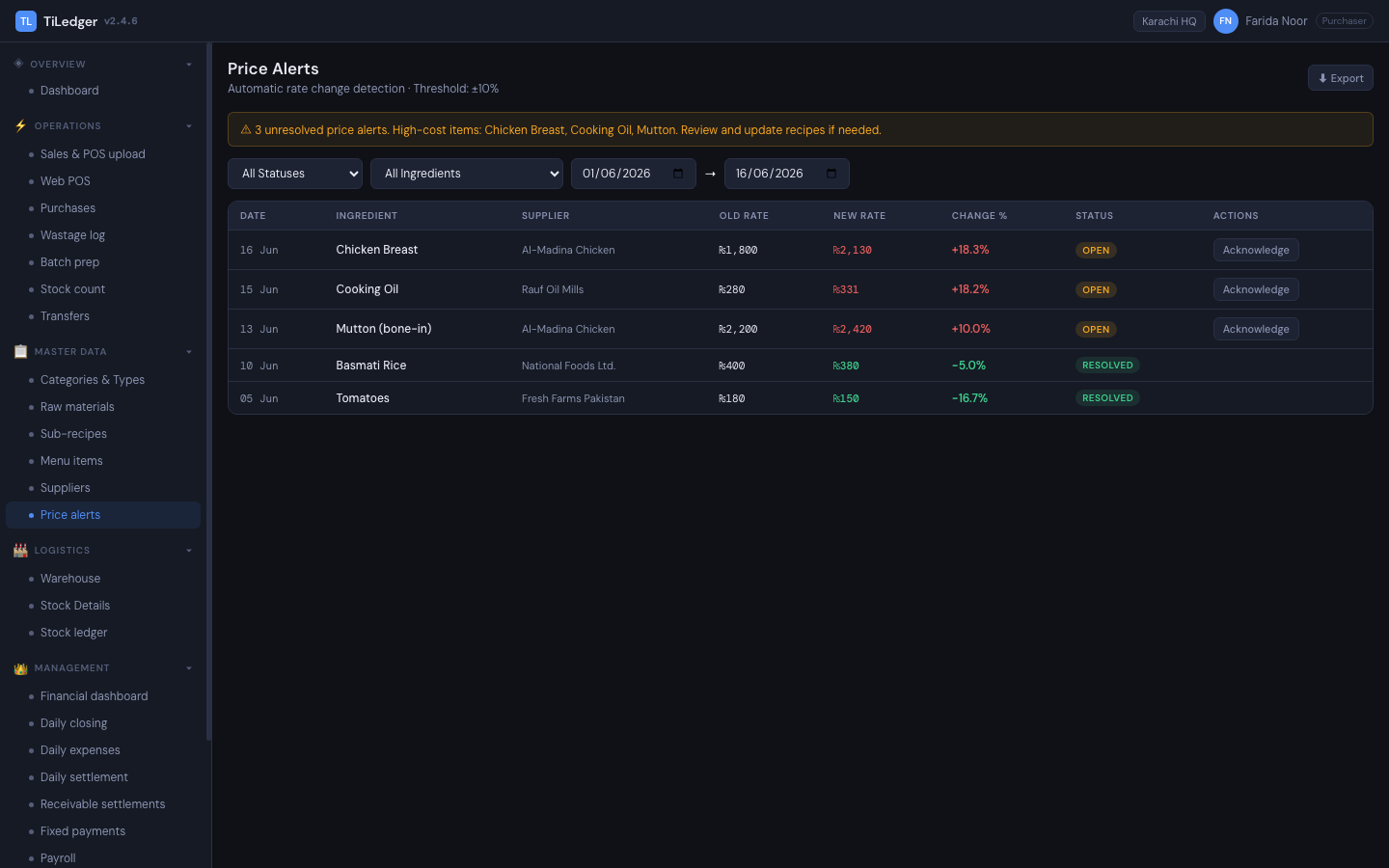
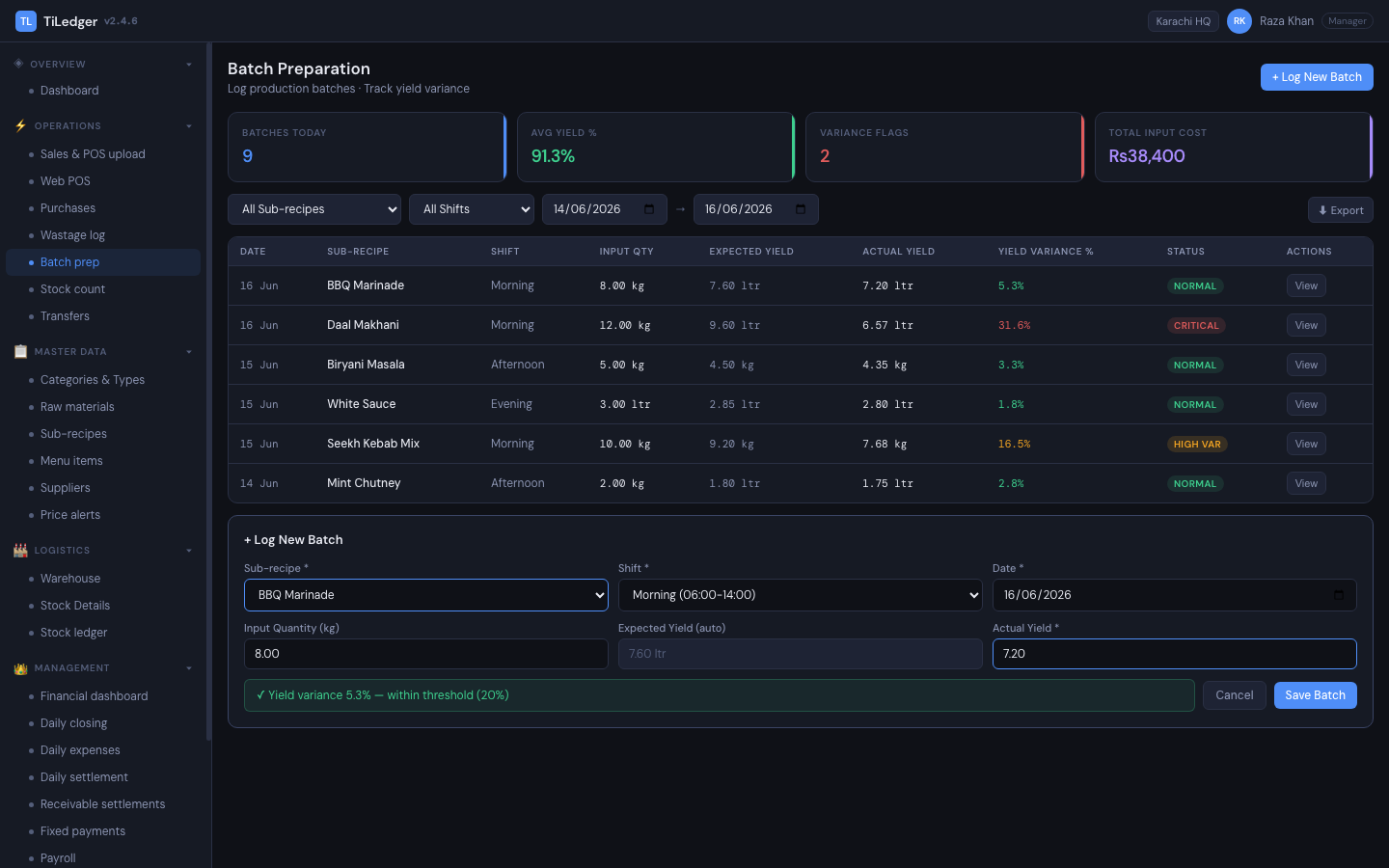
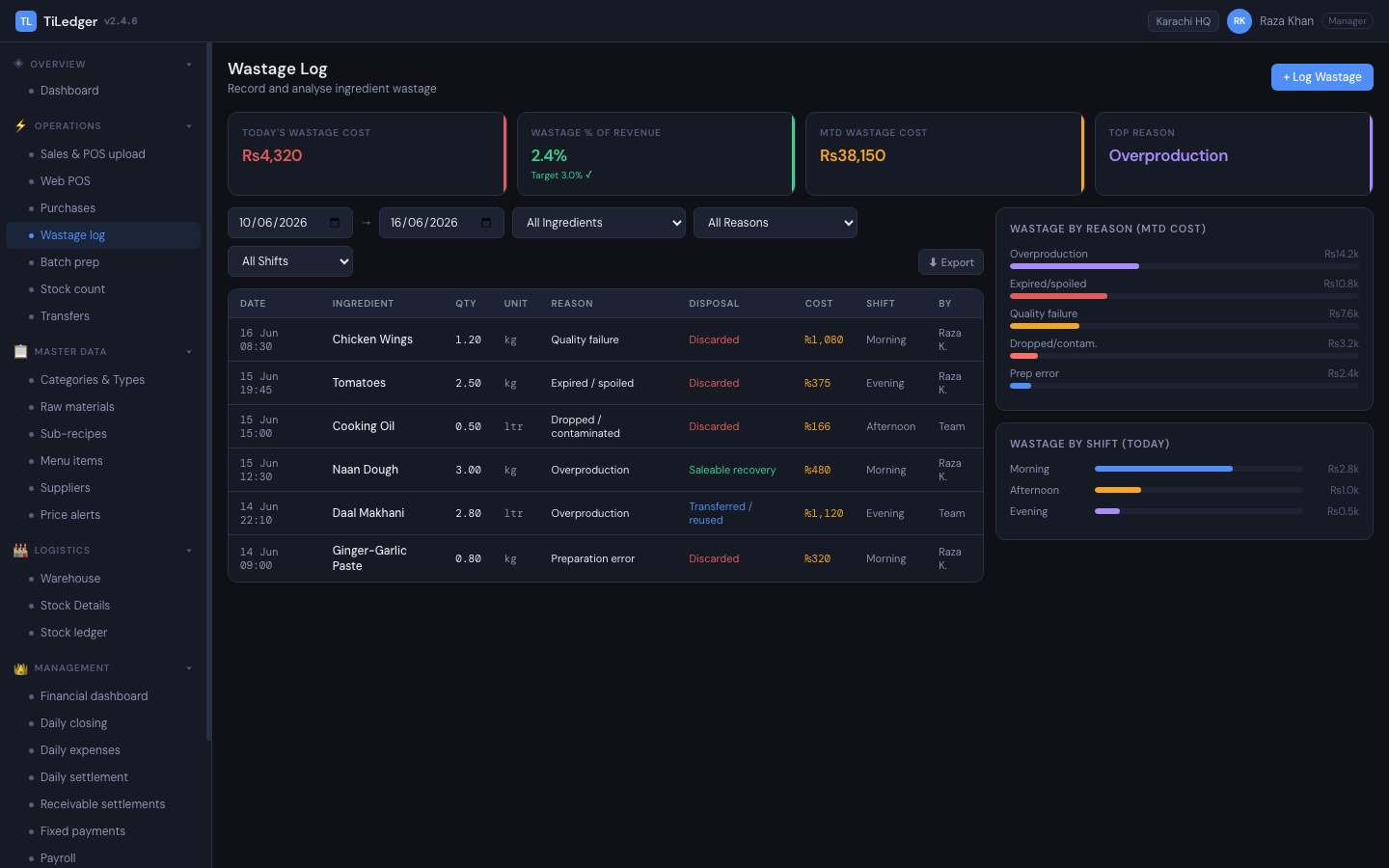
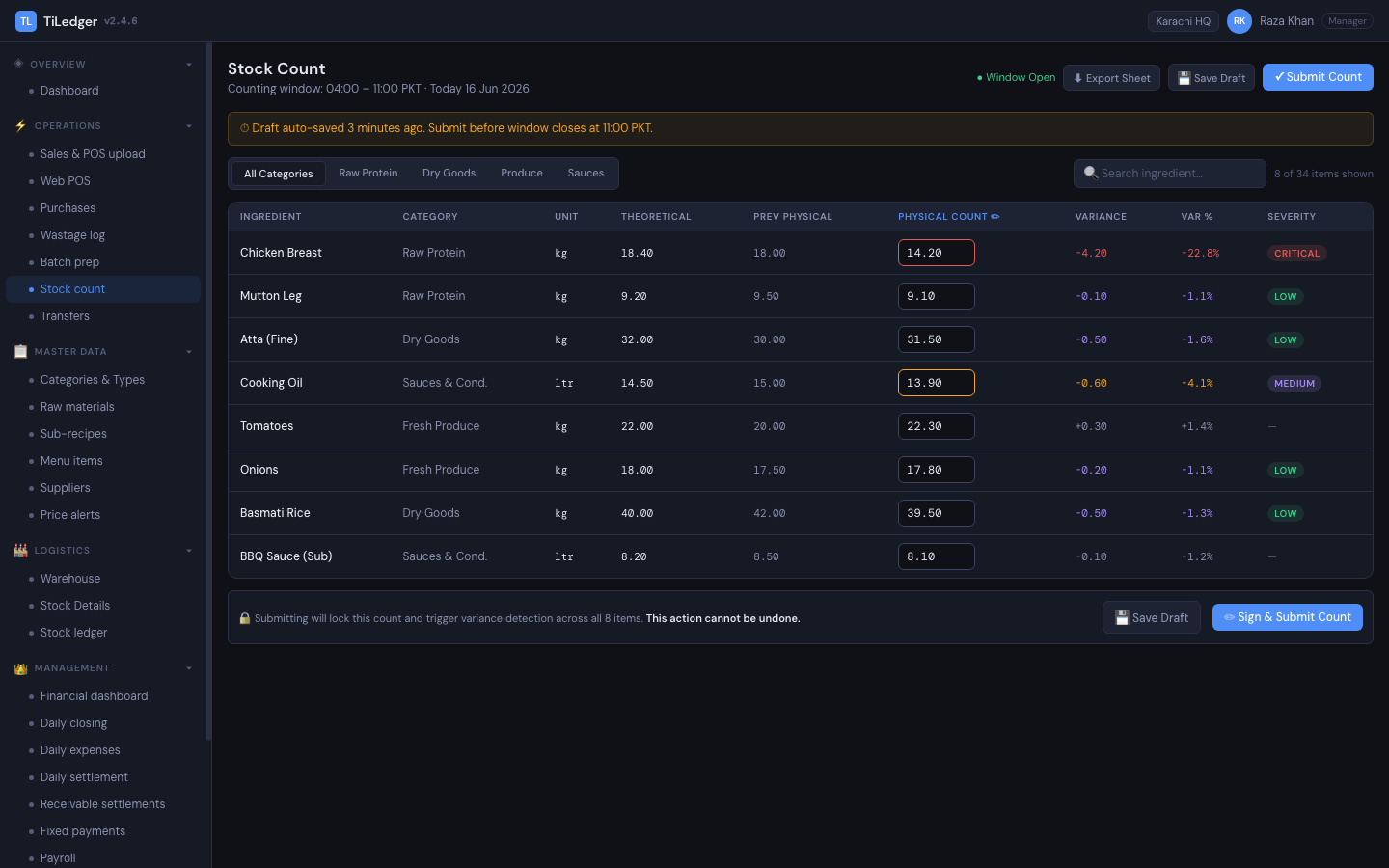
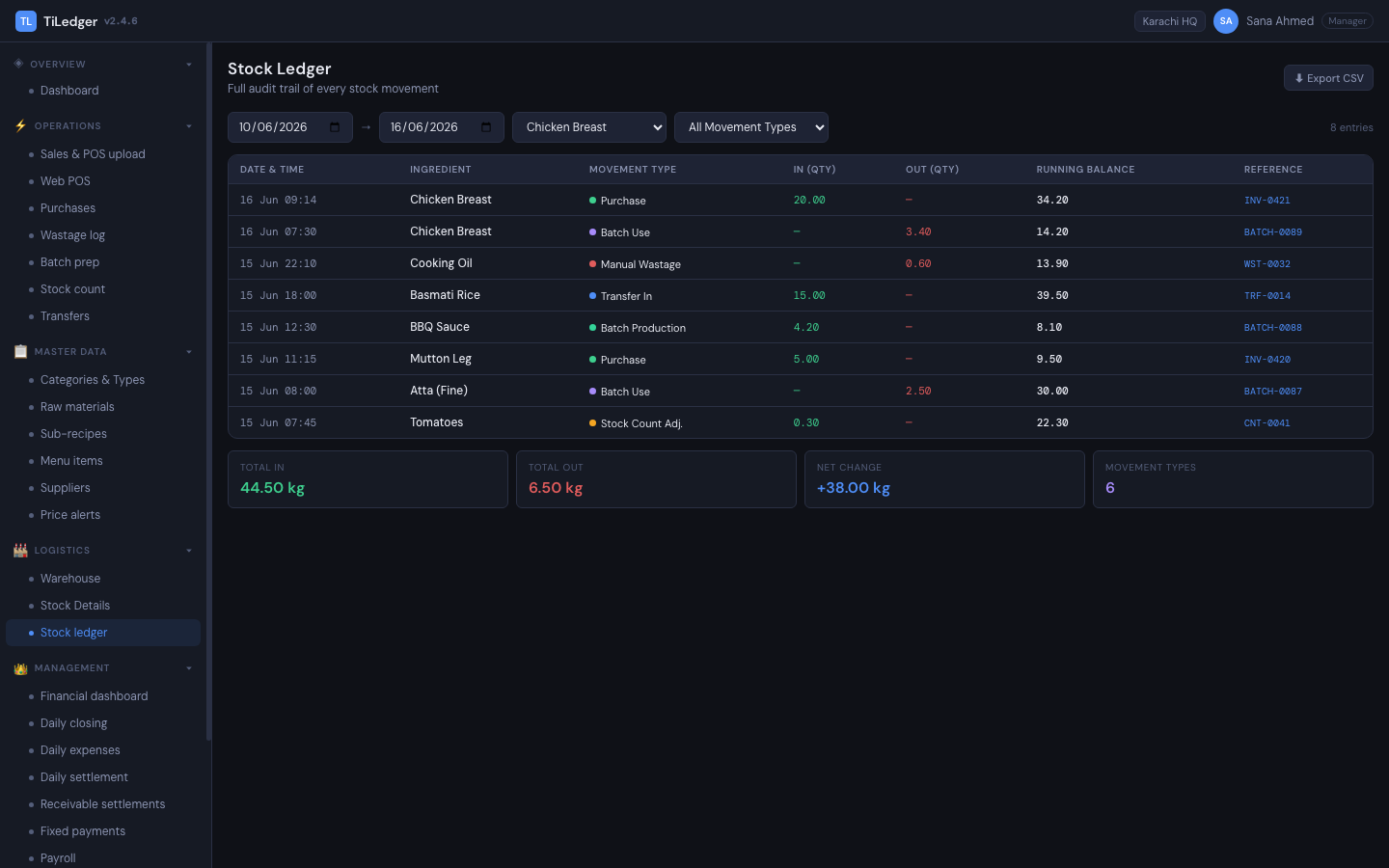
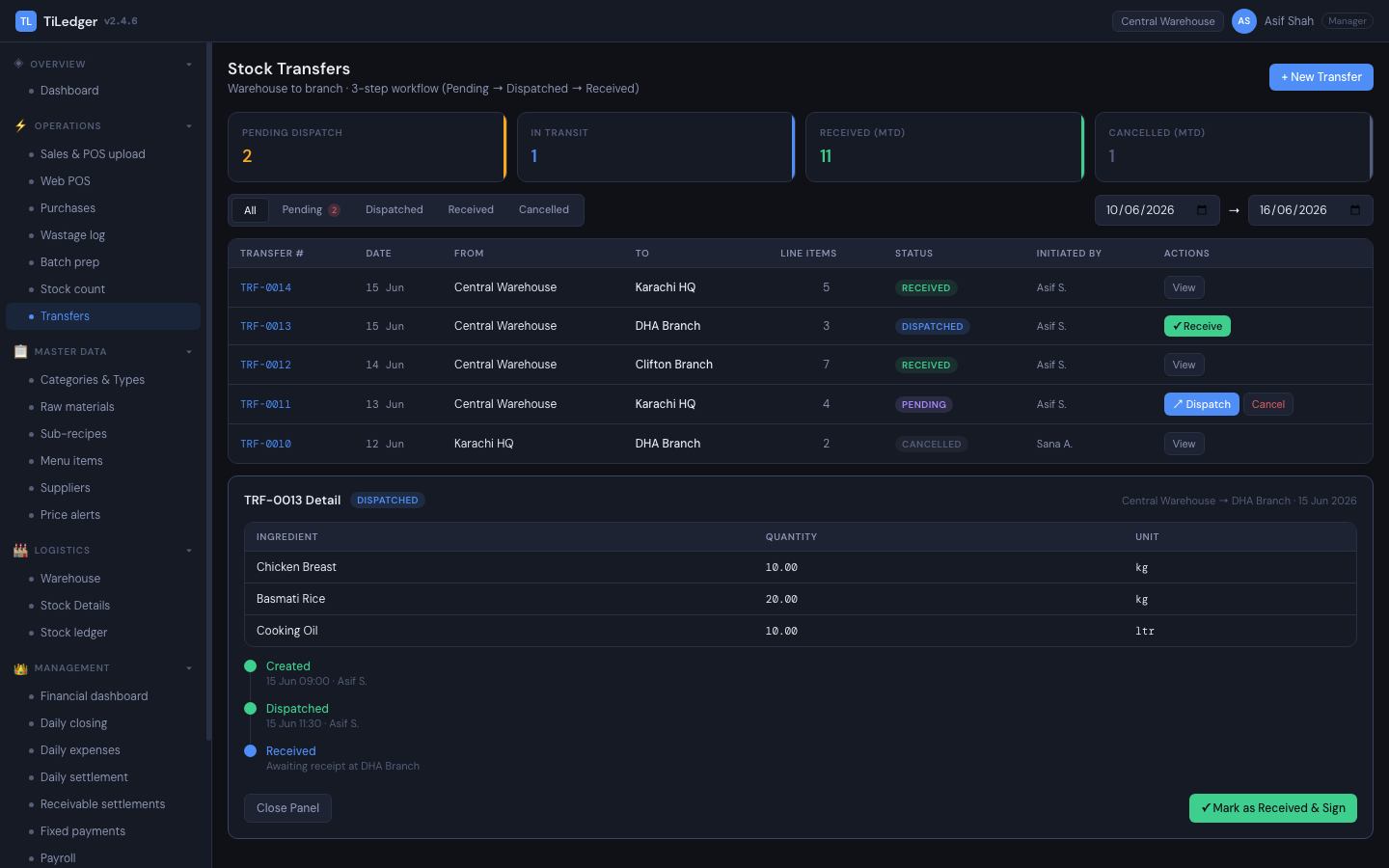
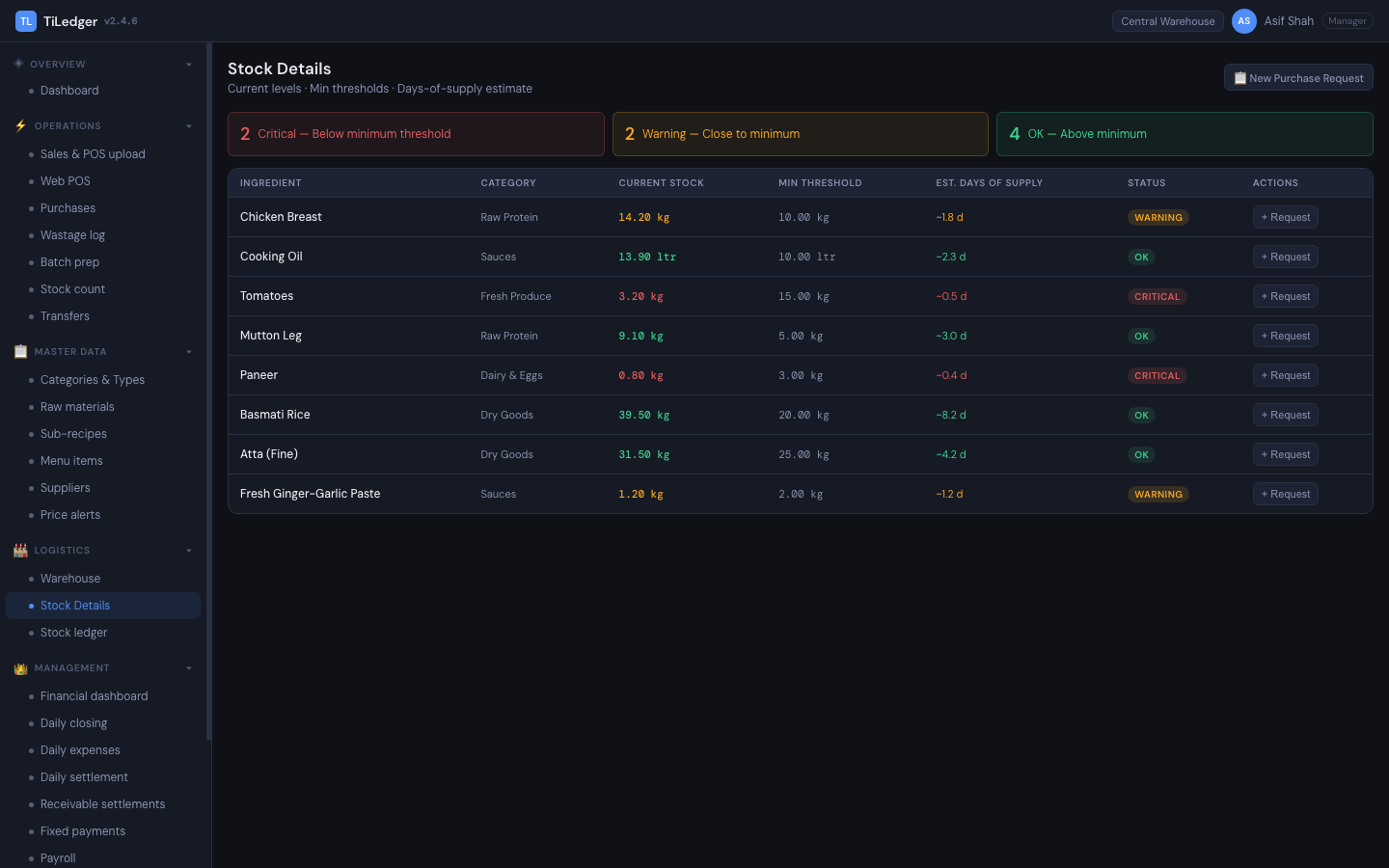
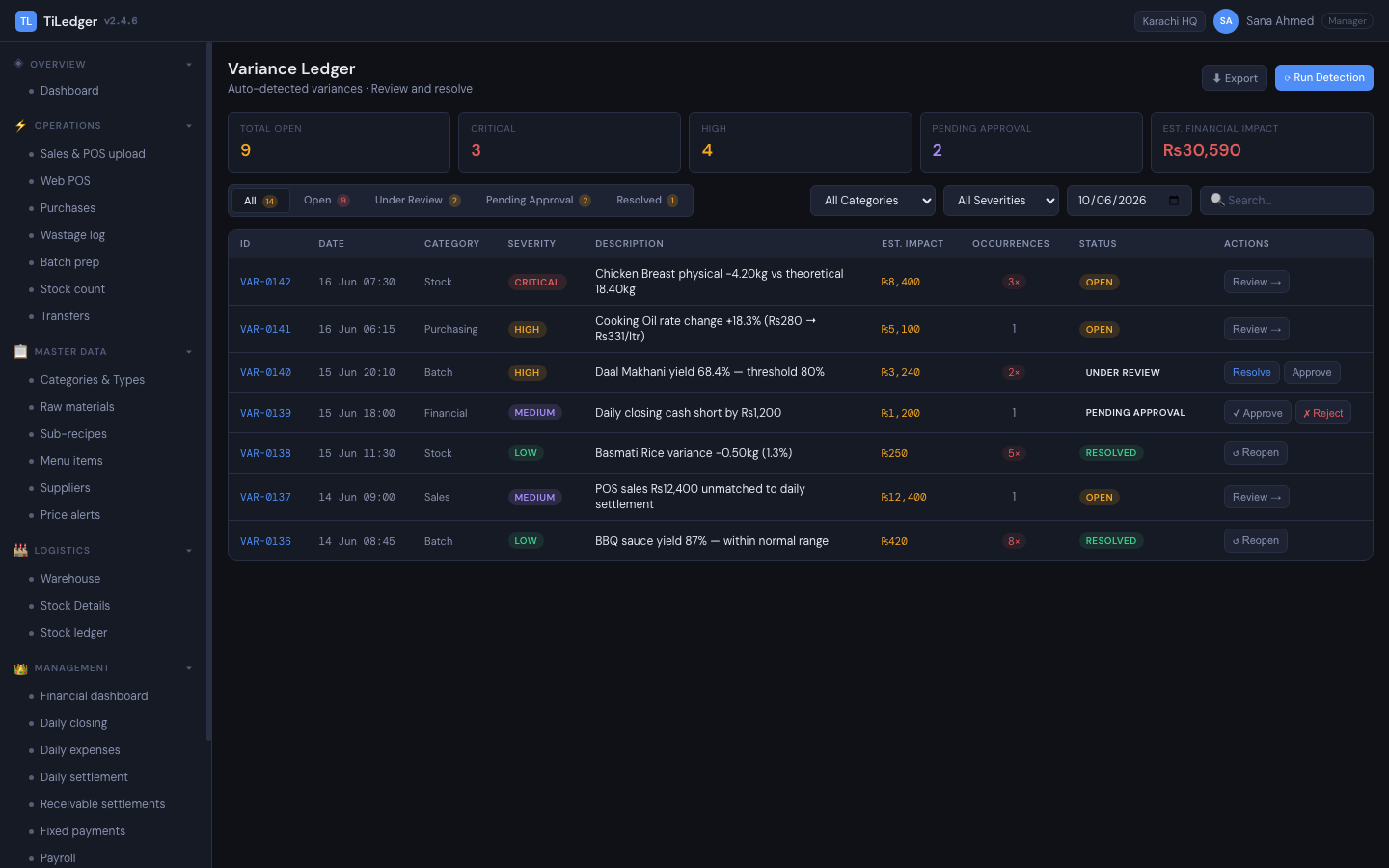
The operational and financial ledger a restaurant closes the day on: master data, stock movements, costing, variance, closing, and finance in one place. The purchasing loop covers suppliers, purchase requests, invoices, and price alerts. Production and waste tracking covers batch prep, wastage logging, and full bill-of-materials explosion. Inventory truth spans stock counts, the stock ledger itself, warehouse transfers, and low-stock thresholds. Daily closing flows into settlement, then expenses, receivables, fixed payments, and tax — with payroll running off attendance import and a day-end webhook, and a variance ledger giving a full audit trail behind every number.
Built for: managers, purchasers, accountants, HQ teams and multi-branch operators (Kitchen Control plan and up).Web-based POS — counter and channel selling
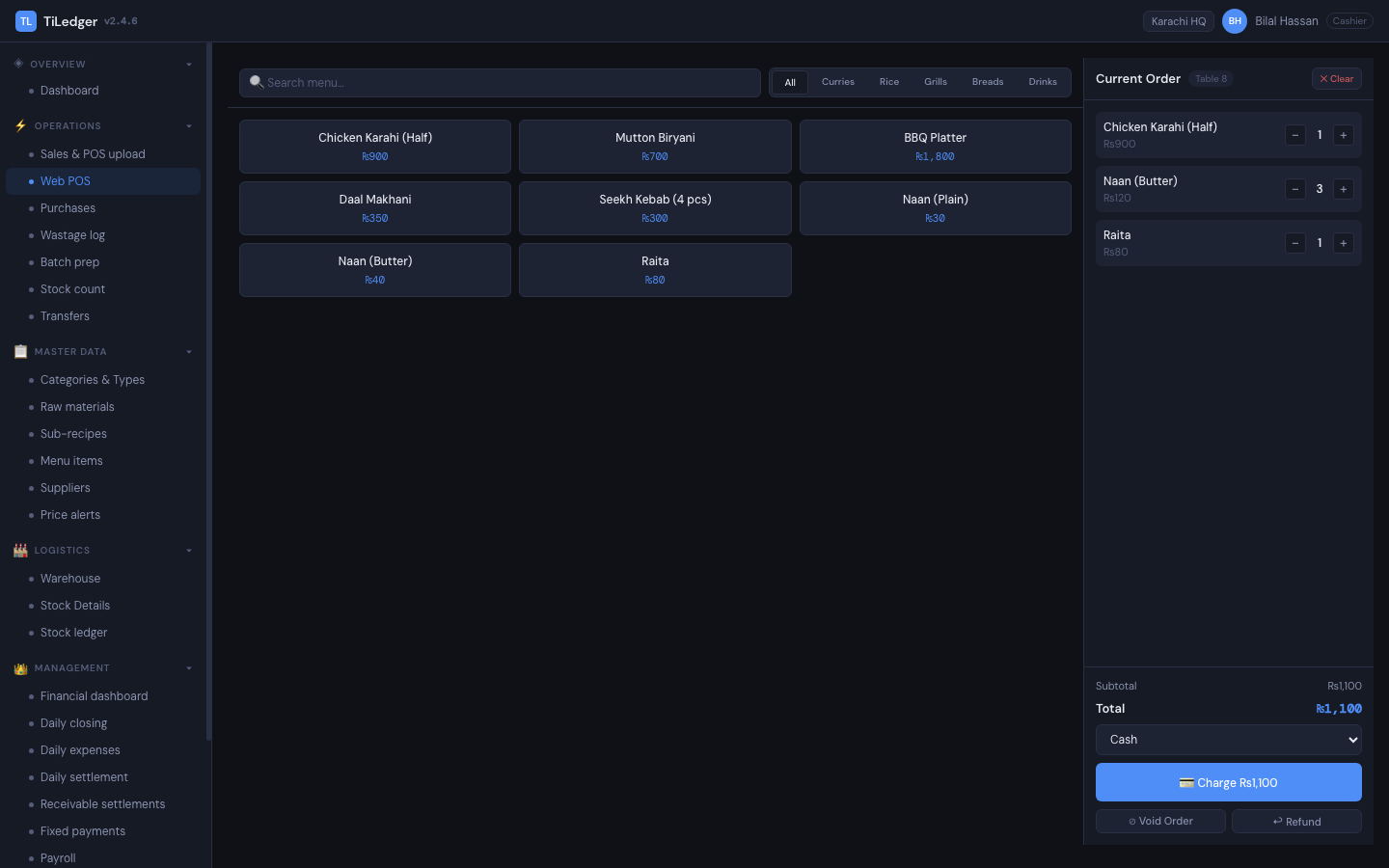
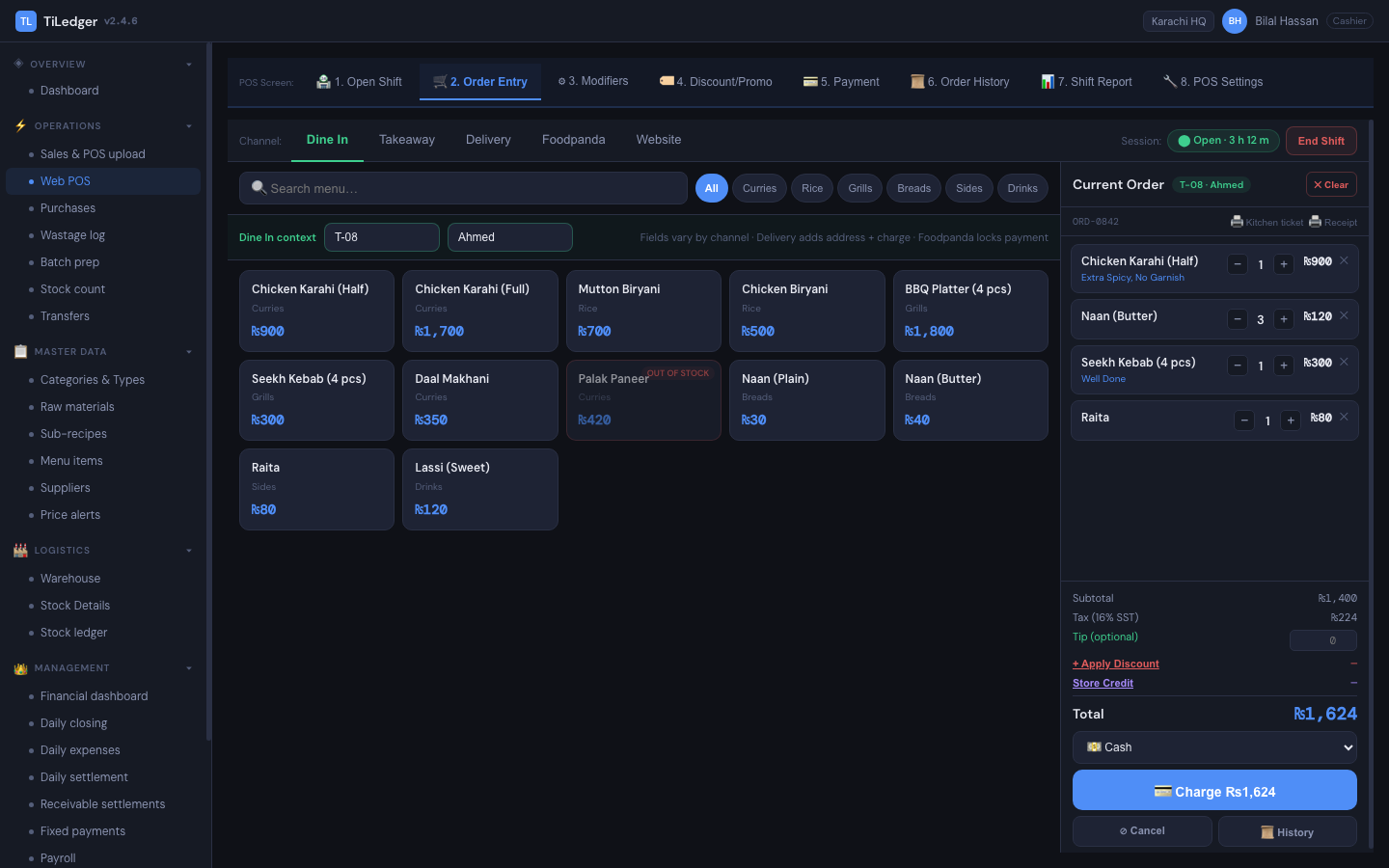
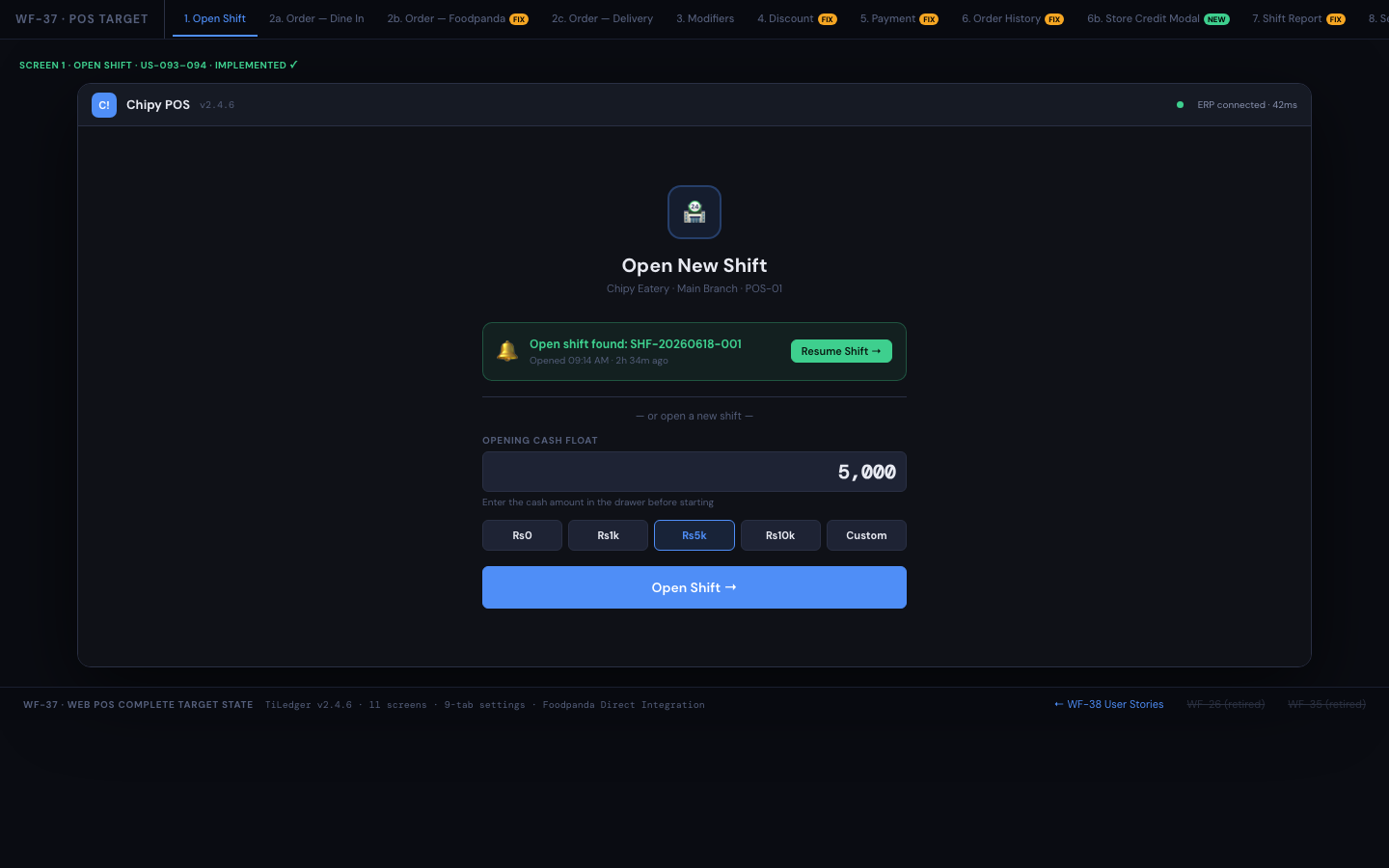
A browser-based point of sale that never invents its own truth — every ticket posts back to TiLedger. Covers shift open/close/reporting, order entry with modifiers and channel tagging, payments, refunds, voids and manager overrides, a live deals strip with shared promo validation, and per-branch device and API key management, plus an integrations area with masked API keys for delivery apps (rolling out on Enterprise).
Built for: cashiers and shift leads on every plan, from a single-location Point of Sale plan to multi-location groups.Multi-branch restaurant ERP — locations, transfers and side-by-side reports
One company can run many locations in TiLedger. Each location keeps its own prices, settings, stock and daily closing, while owners see every location side by side or switch to one. Stock moves between locations through transfers posted to both stock ledgers, and staff are given access only to the locations they work at.
Built for: restaurant groups and franchise operators (Growth plan and up).Restaurant closing and settlement — Daily Closing and Outlet Control
Daily Closing reconciles expected cash against counted cash, card and online payments, cash purchases and expenses for each shift. The Outlet Control report then puts sales, stock variance, wastage, discards, expenses and payroll for the period on one page, with a plain-English status for each section and manager sign-off.
Built for: managers, finance teams and owners (Growth plan and up).Restaurant payroll and attendance software
Staff punch in on the attendance app, and the punches feed rosters and a monthly pay run. Salaries are broken down into basic, fuel, medical and punctuality allowances, with late deductions and overtime calculated per minute on basic pay, income tax by salary slabs, leave limits set in rules, staff food orders, bonuses, commissions, advances and loans. Payslips and the pay register export as premium PDF and Excel reports.
Built for: HR, finance and branch managers (Growth plan and up).Customers, vouchers and loyalty
Every order is linked to a customer ledger, with an existing / new customer check at the till. Gift and refund vouchers are issued, redeemed and tracked on every plan, and loyalty points are earned from invoices and redeemed at the till on the Growth plan.
Built for: front-of-house teams and marketers.Compliance checklists and premium reports
Opening, closing and food-safety checklists are completed per shift, with exceptions surfaced in the Outlet Control report. Every report — from the sales ledger to the pay register — exports to Excel, PDF and CSV with a branded header, section headings, totals and signature lines.
Built for: managers, auditors and accountants (checklists from Kitchen Control).Order / add-to-cart website — guest commerce
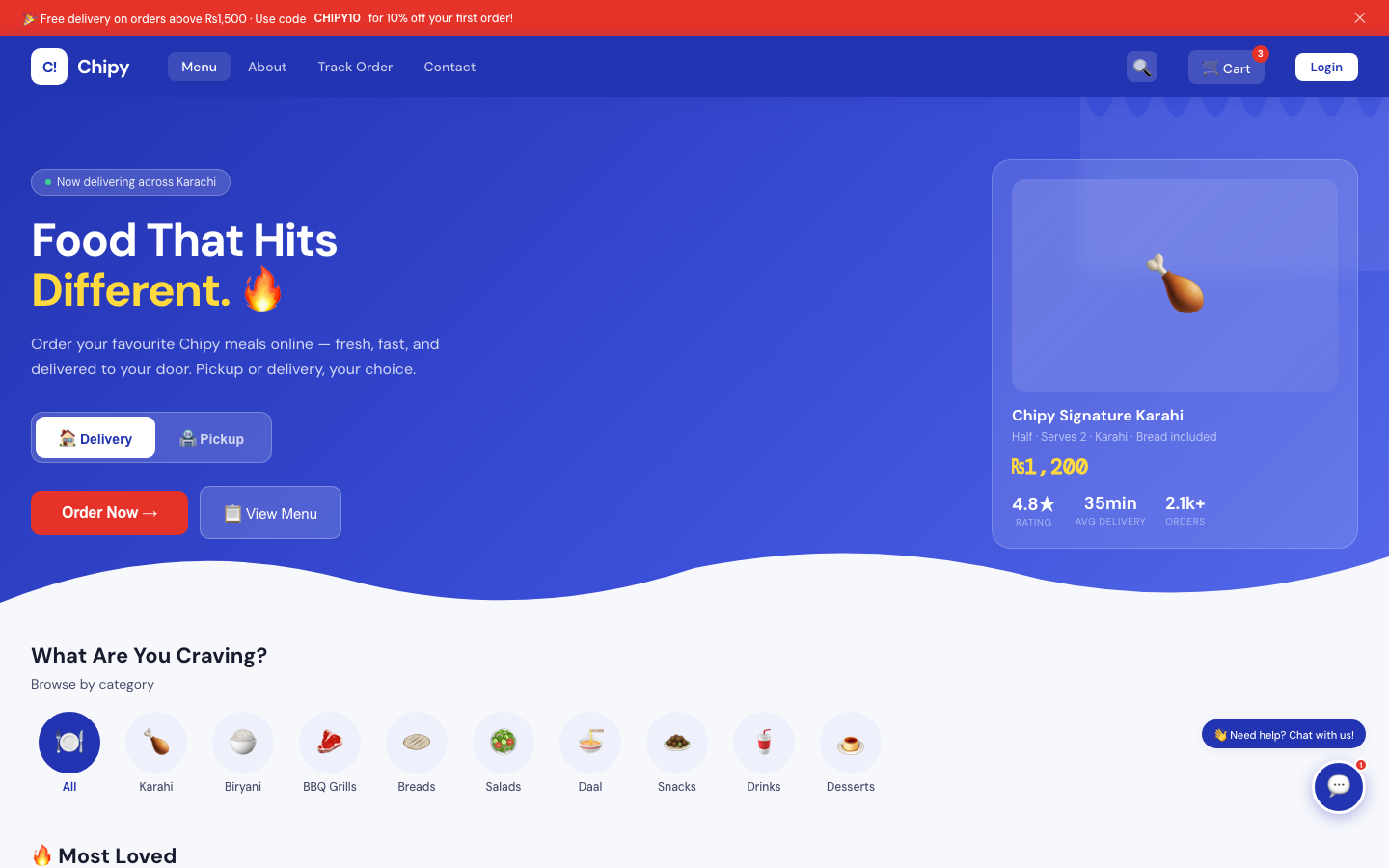
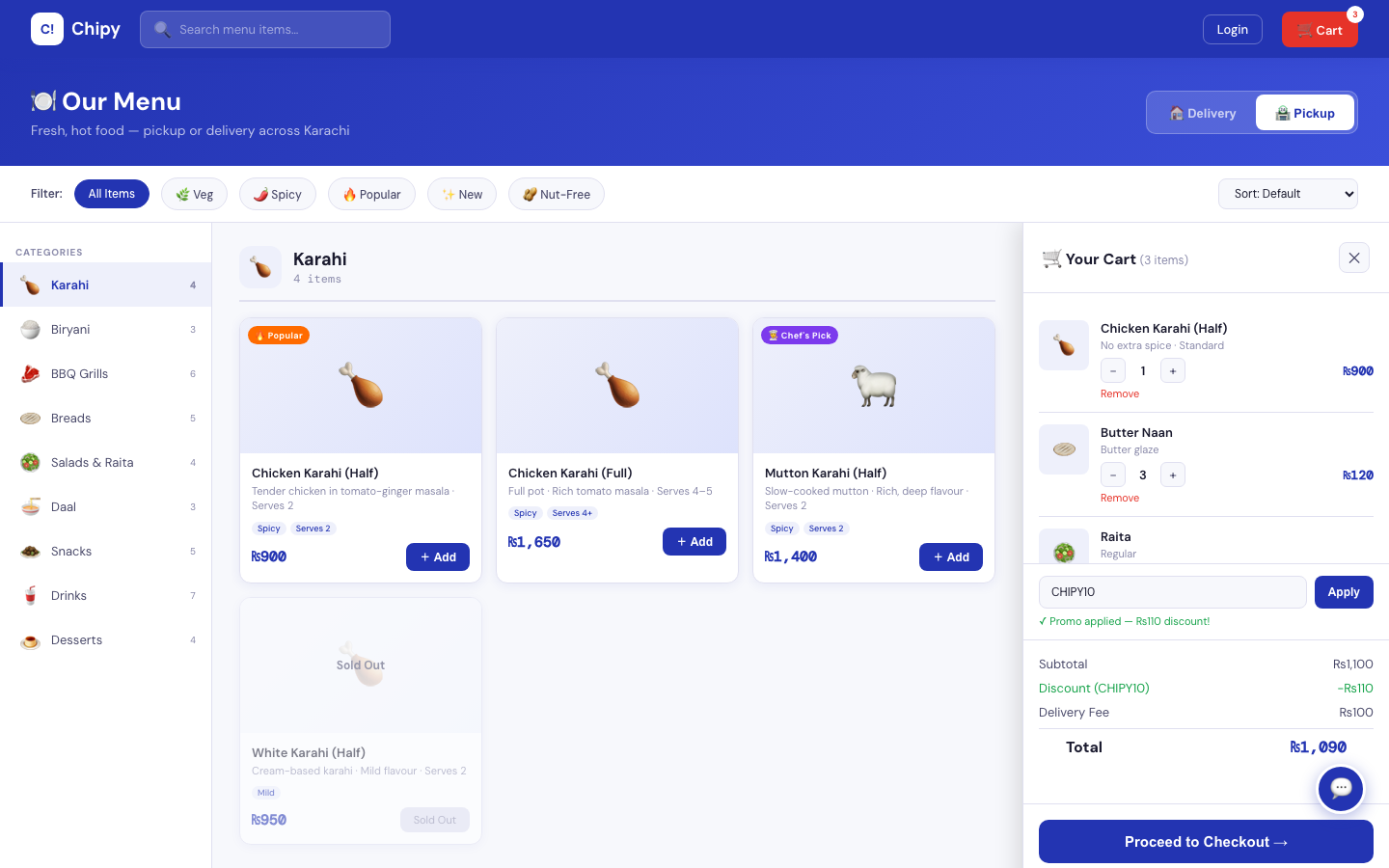
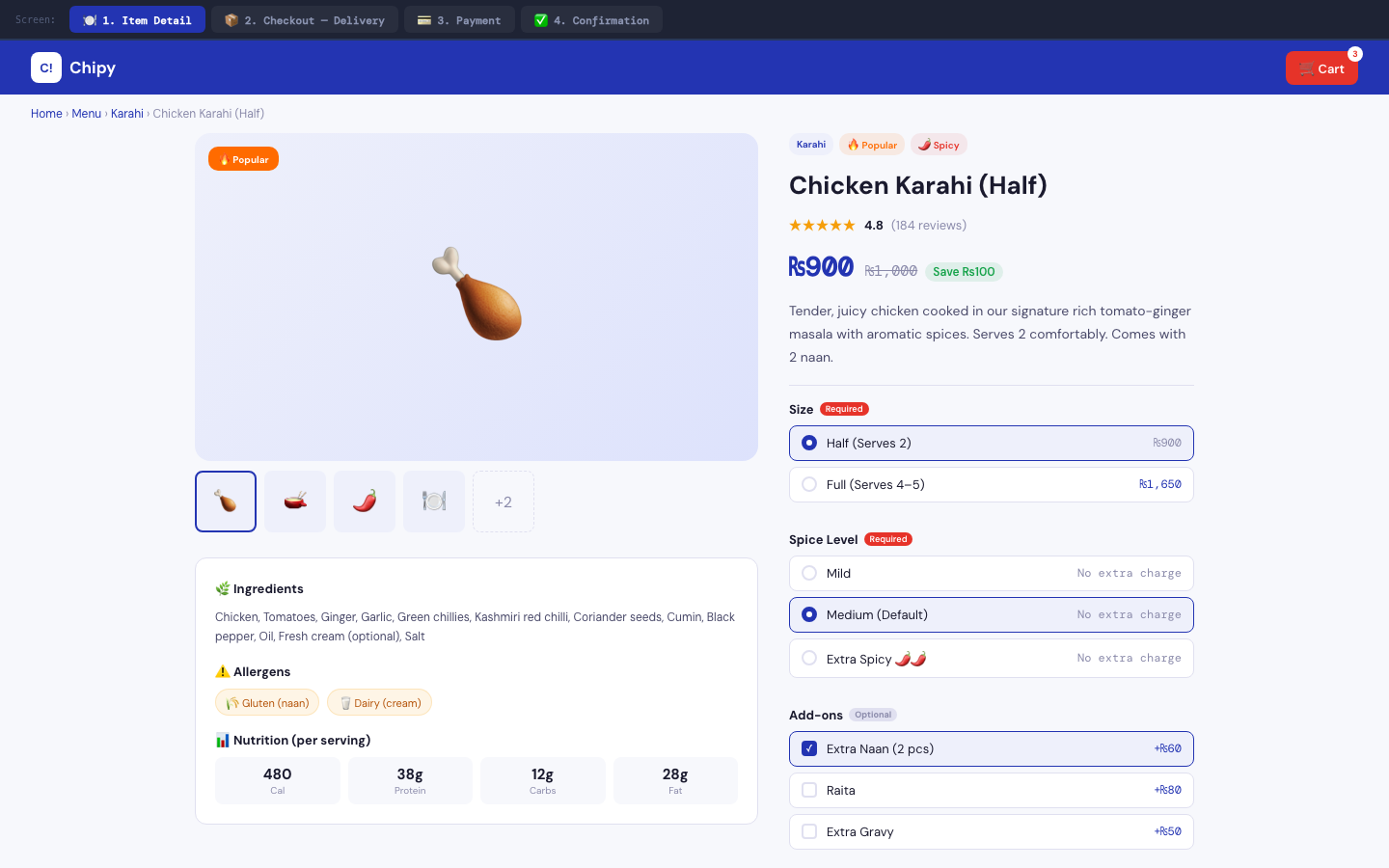
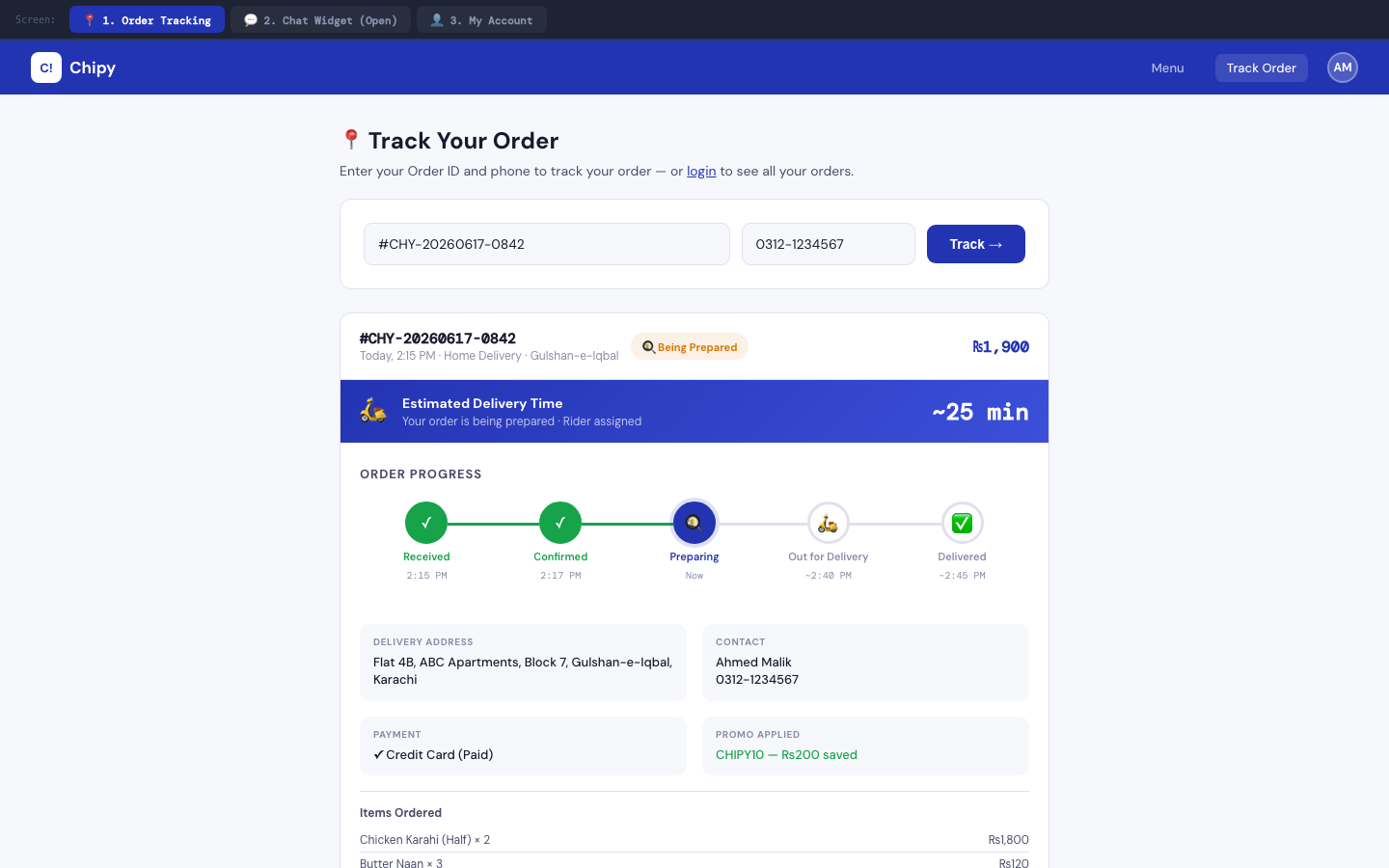
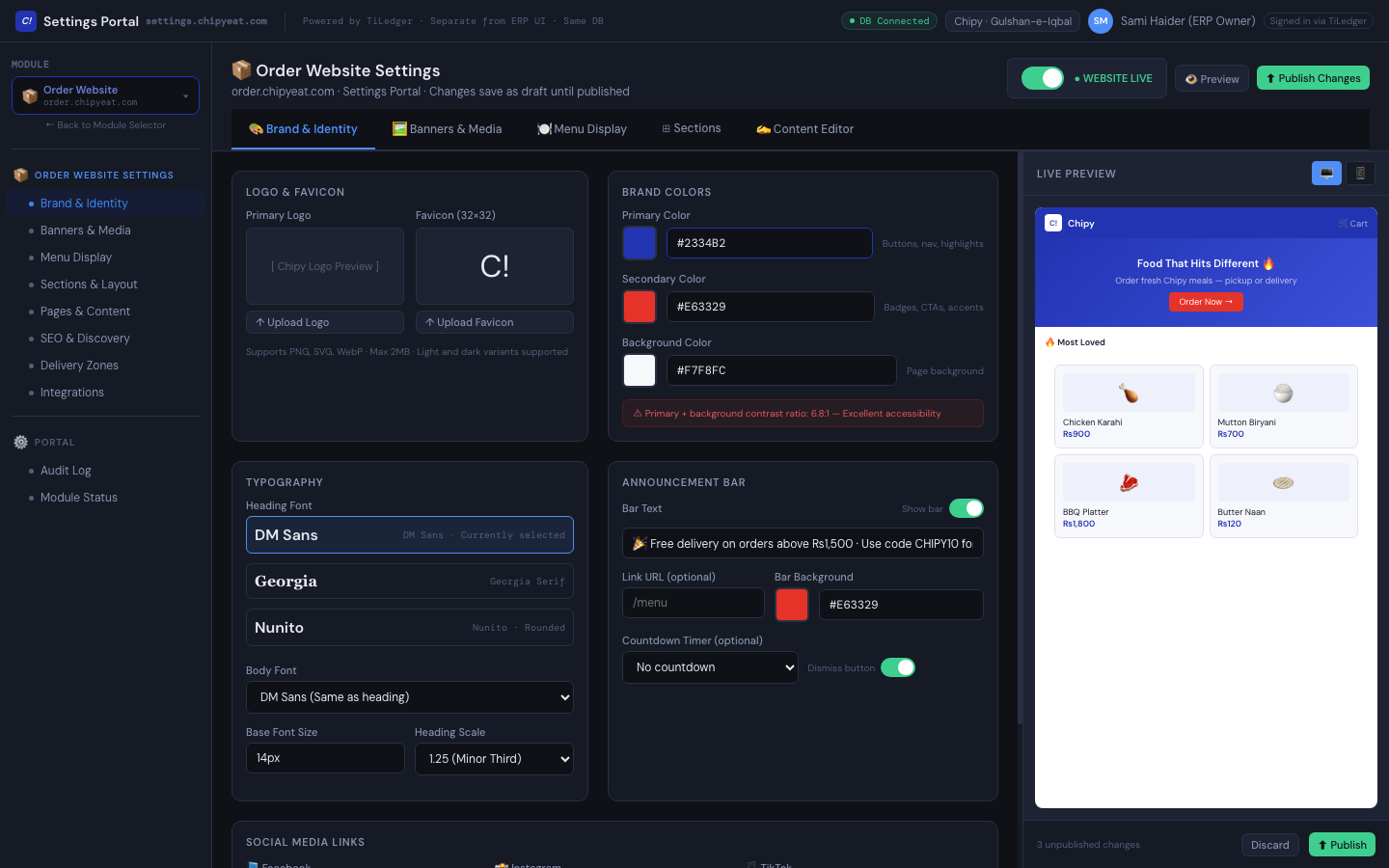
A delivery-app-grade ordering experience running directly on TiLedger's live inventory, pricing, deals, and order tracking — menu browsing, cart, checkout with promo codes, a chat/FAQ widget, and stock-aware availability so guests never order something the kitchen has already run out of.
Built for: guests ordering pickup or delivery, with tenant marketers configuring content through the Settings Portal.Brand website — marketing presence
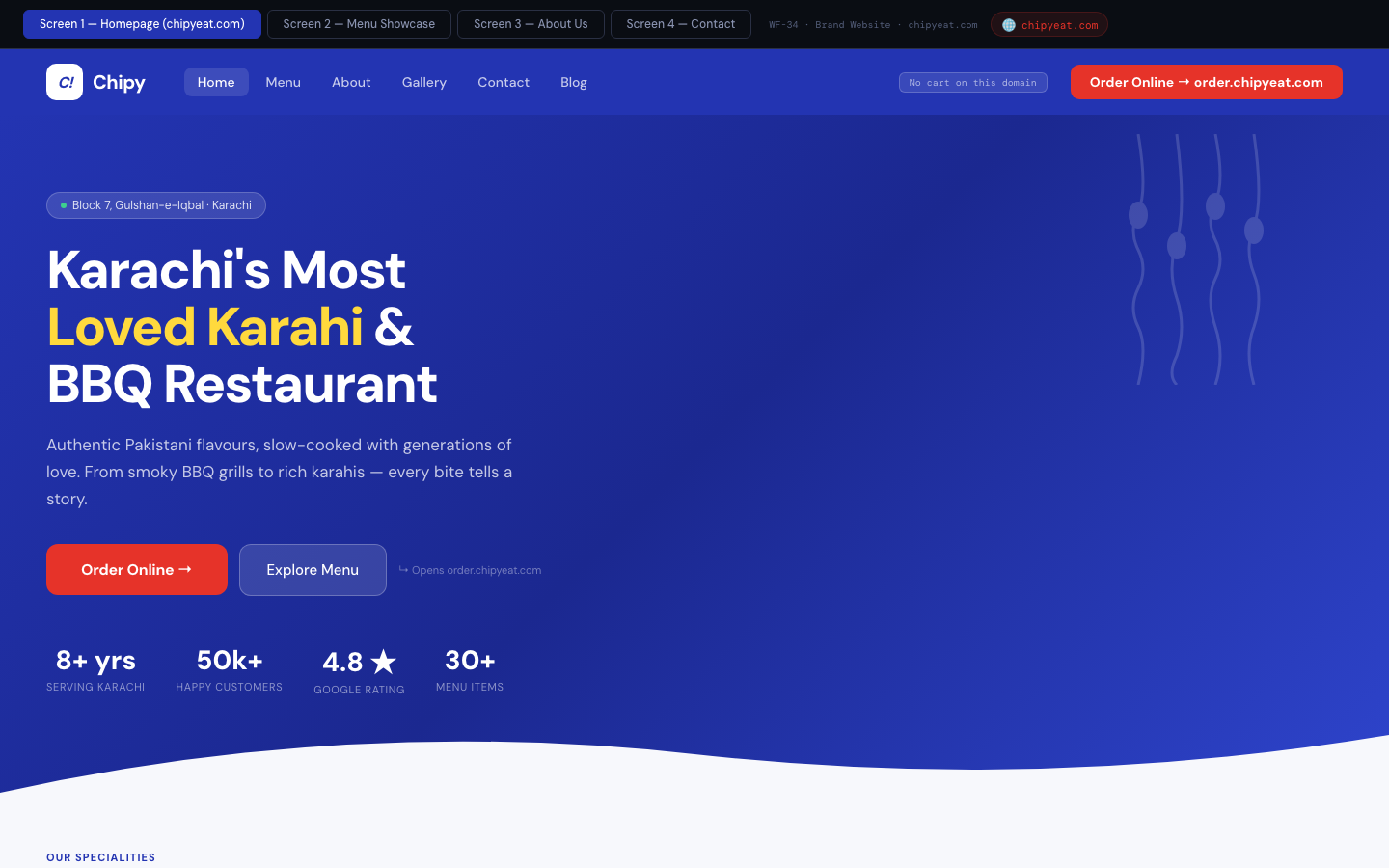
An editorial brand site — story, menu showcase, gallery, blog, and contact — that publishes independently from the order site, so brand and marketing teams don't need to touch operational configuration to update the homepage. Includes media blocks for stories, reels, and events, SEO and schema content blocks managed through the Settings Portal, and calls to action into ordering.
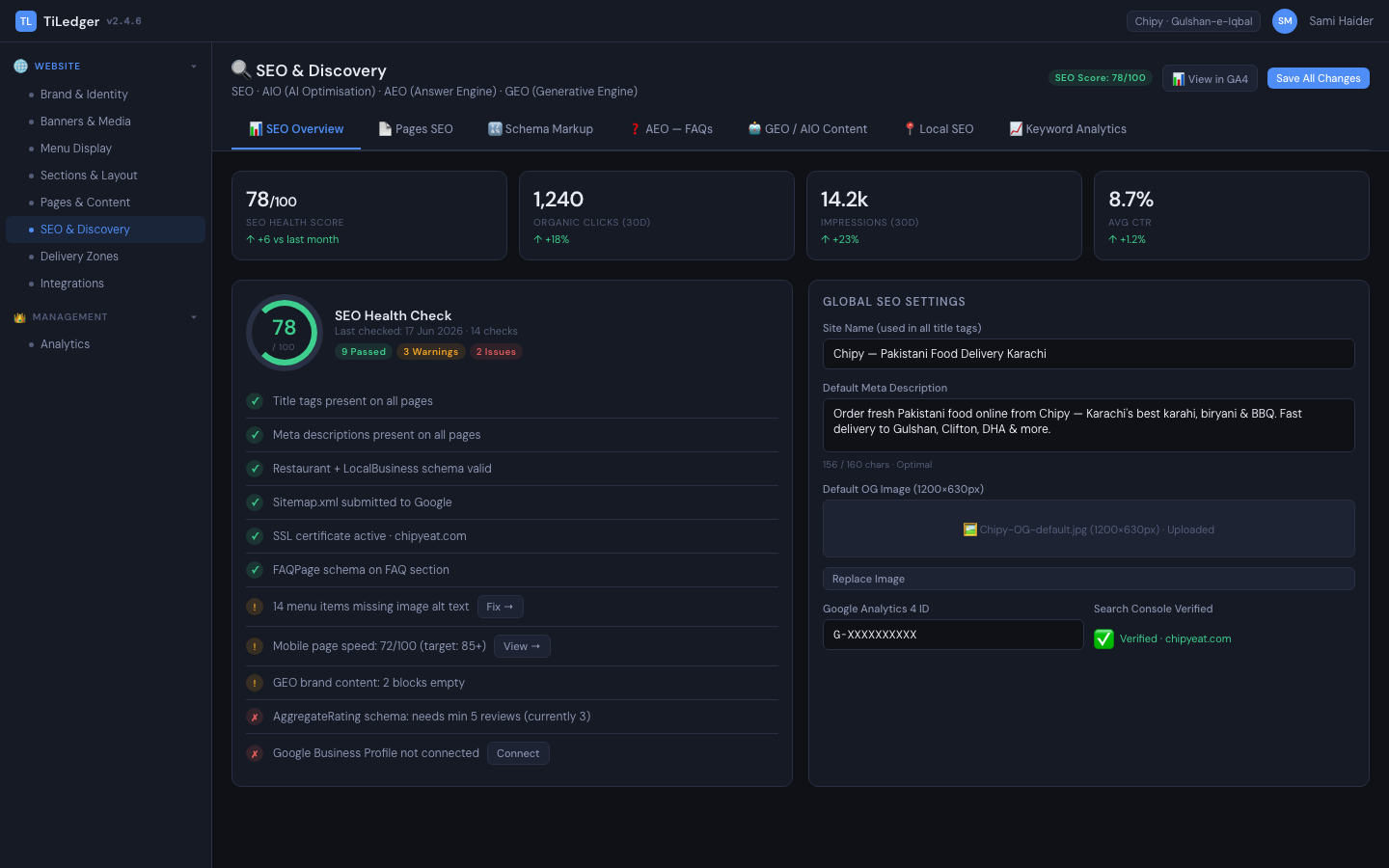
Built for: brand and marketing teams, with content publishing handled through Mutex Ops.Settings Portal & SEO — Ops-owned publish
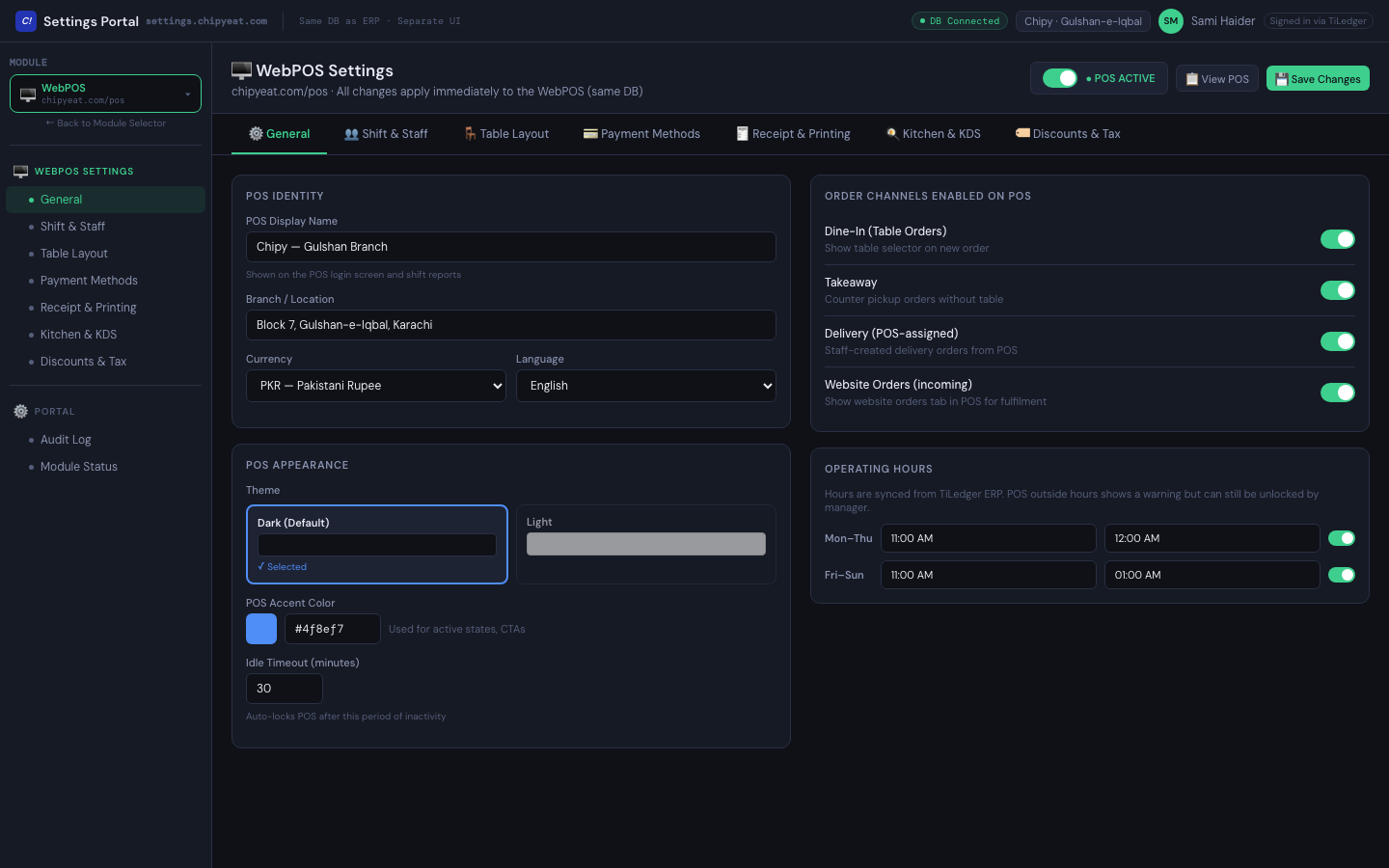
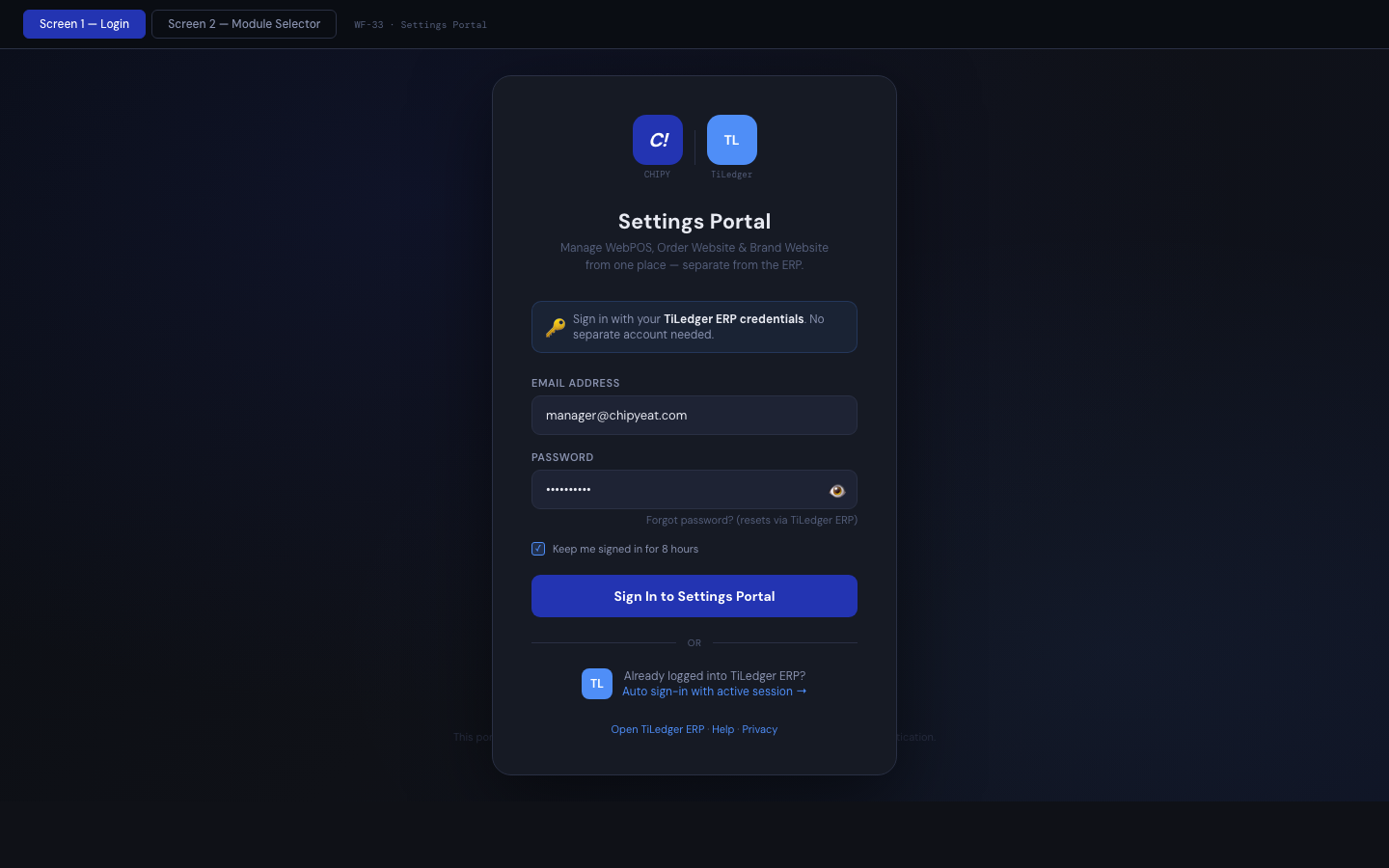
A shared login for draft/publish control over website settings, content, and SEO across both the brand and order sites — including a dedicated SEO / AIO / AEO / GEO panel and role-aware access so the right people touch the right settings.
Built for: Mutex Ops and authorised tenant settings users.Owner / Manager mobile app
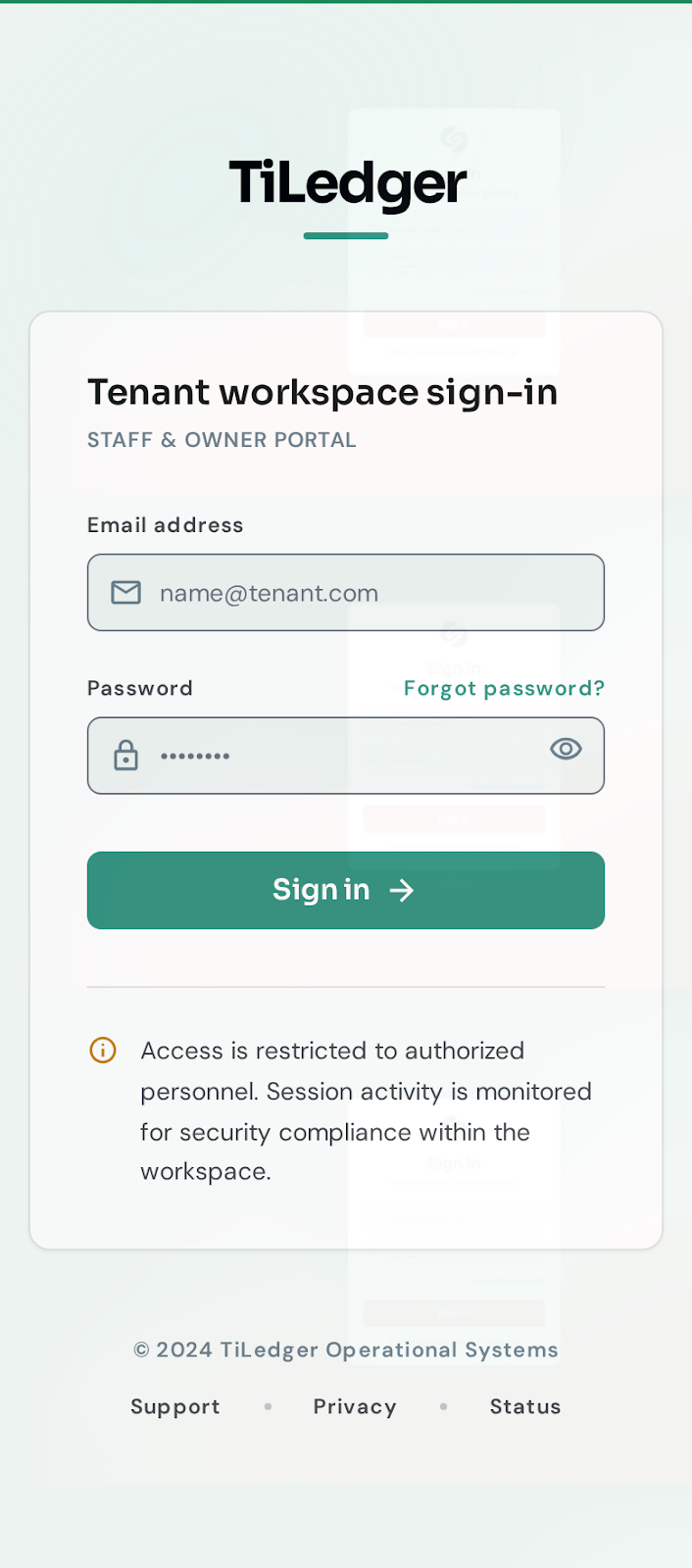
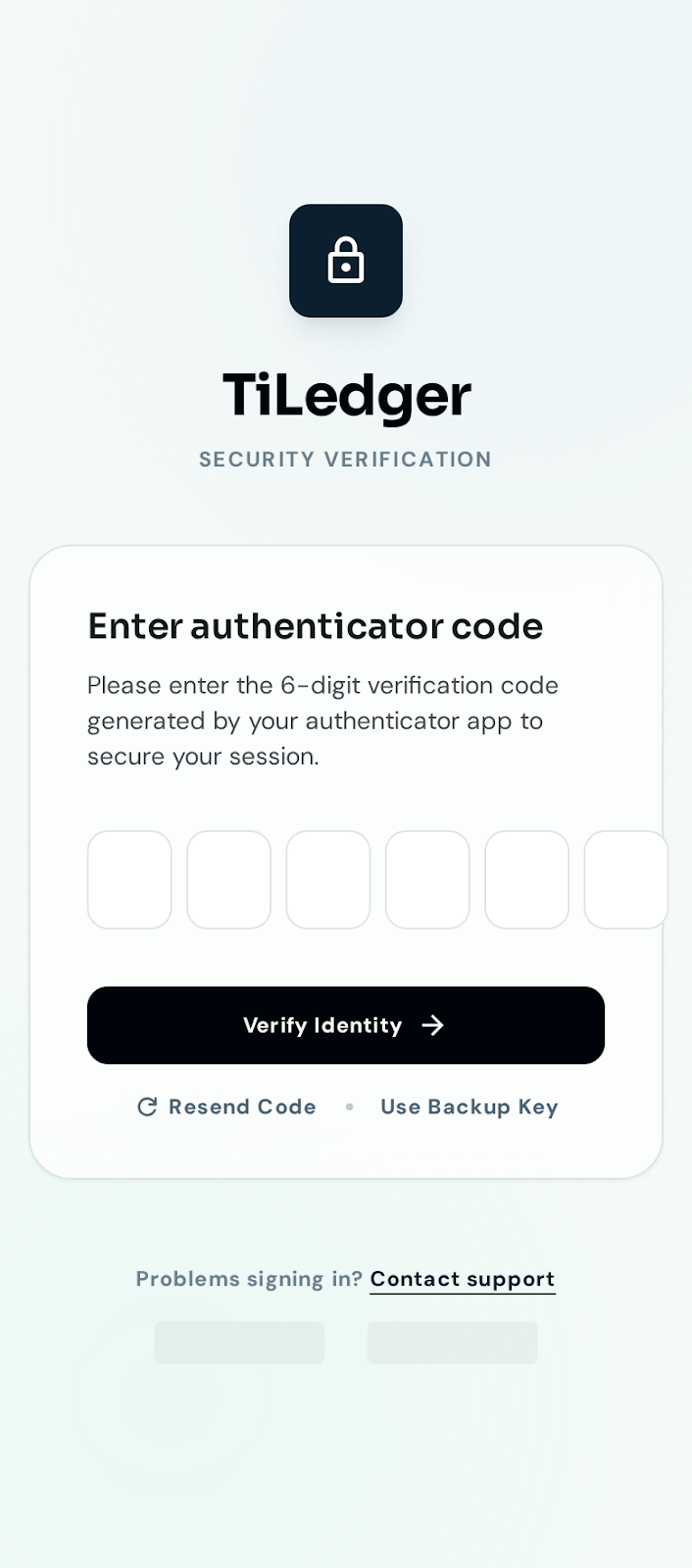
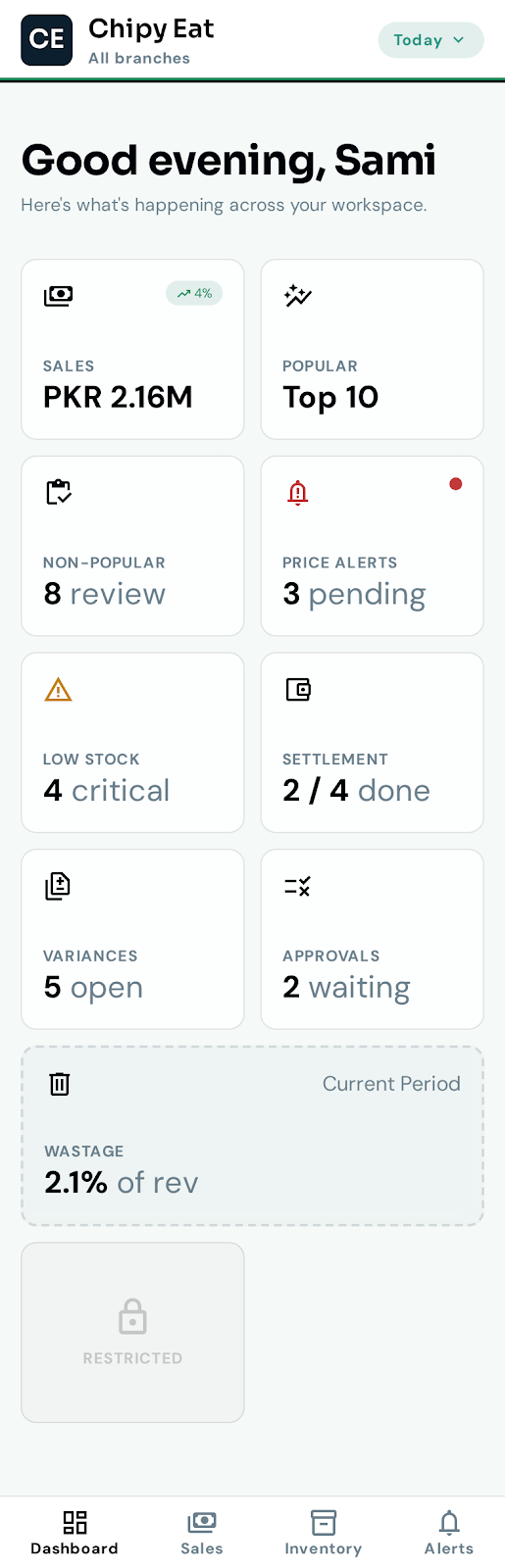
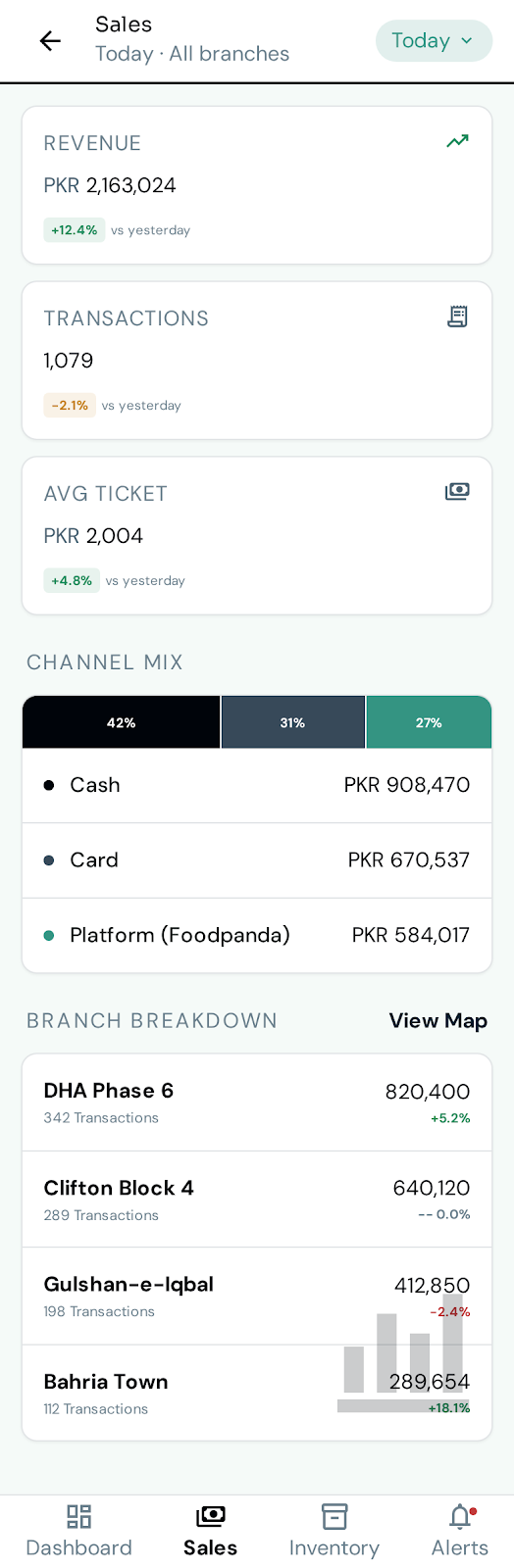
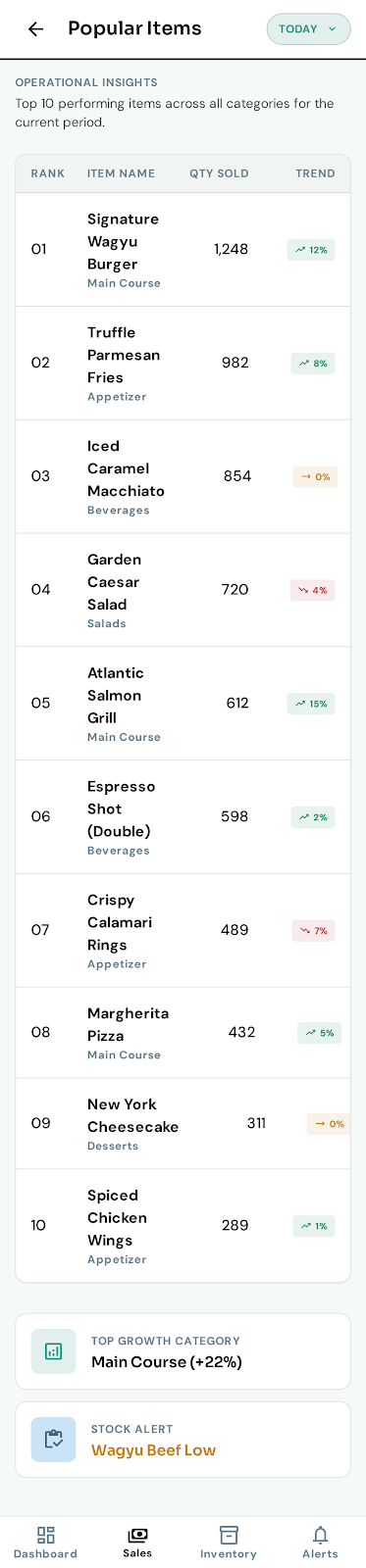
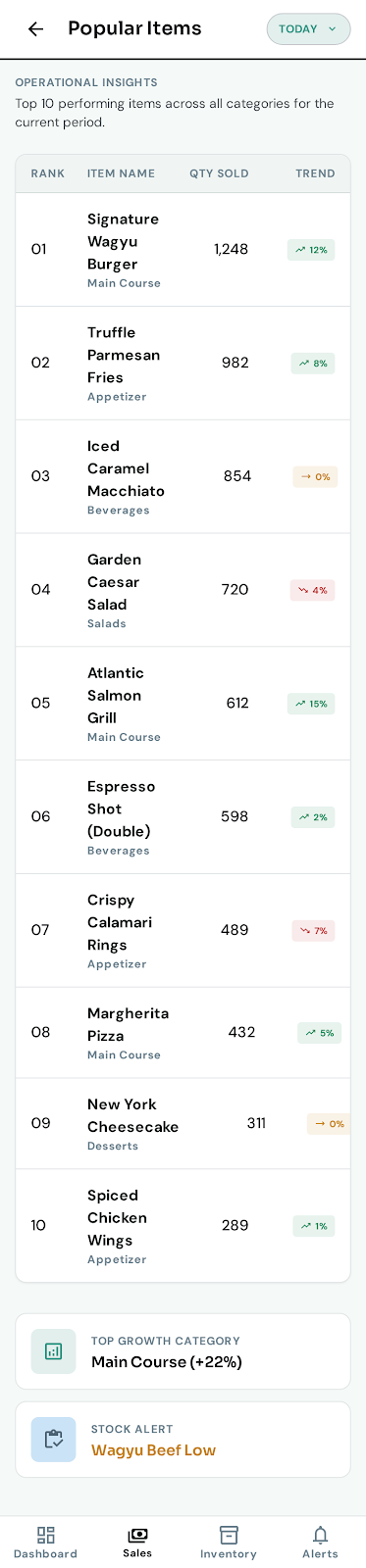
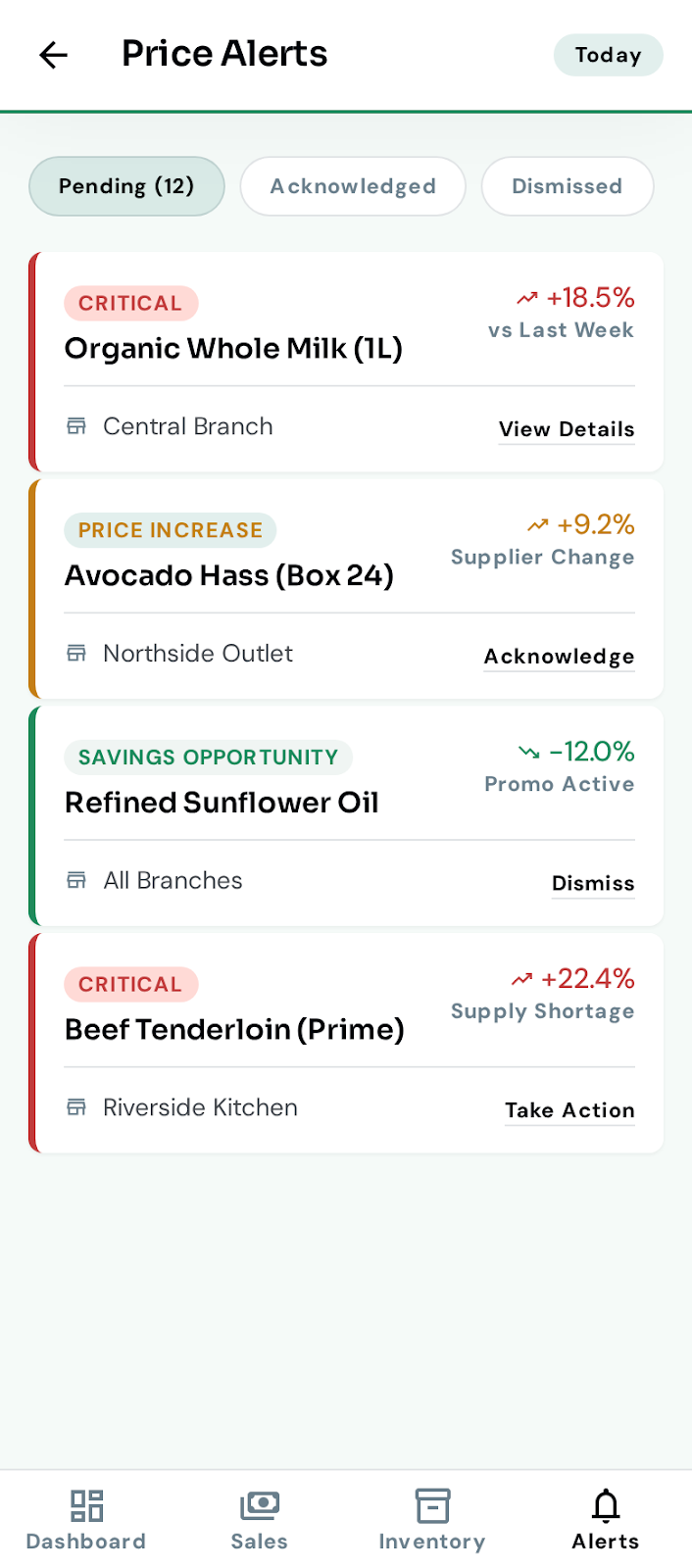
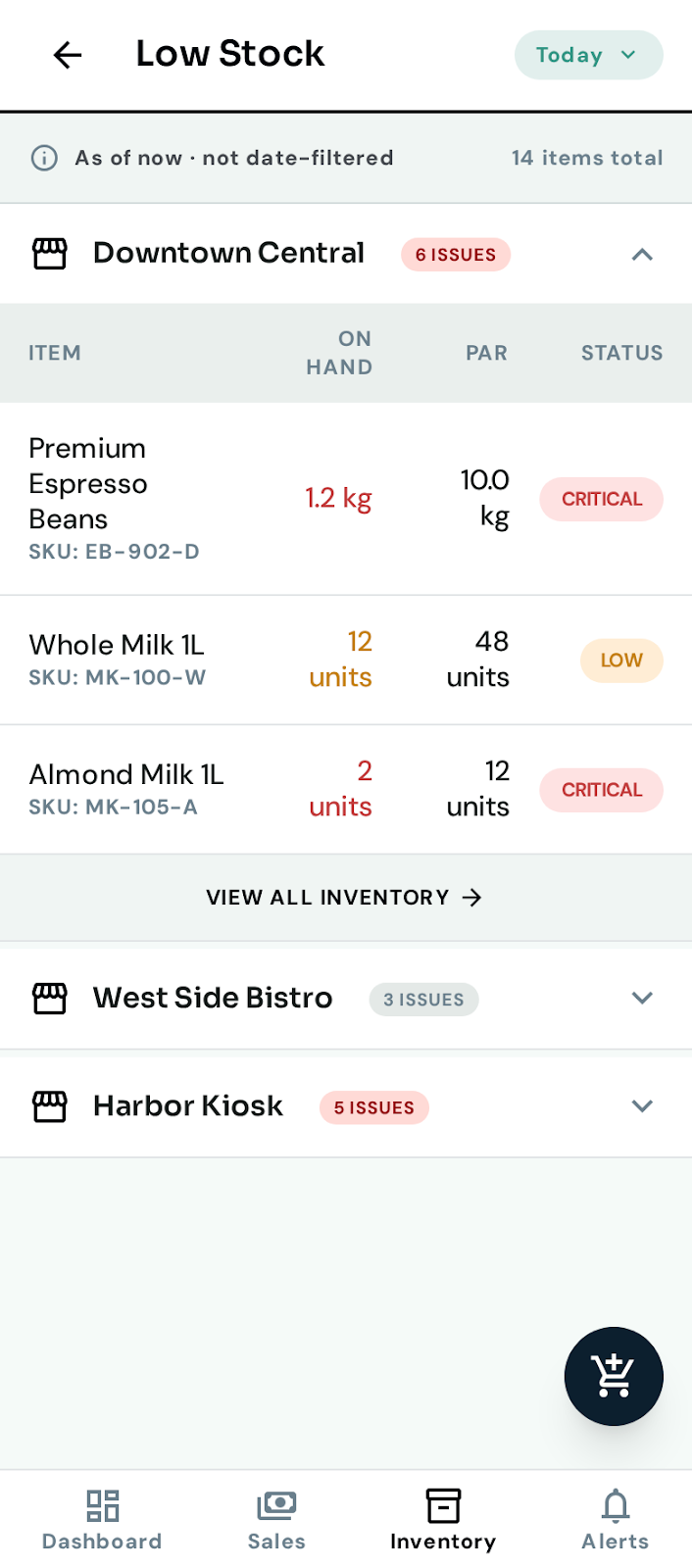
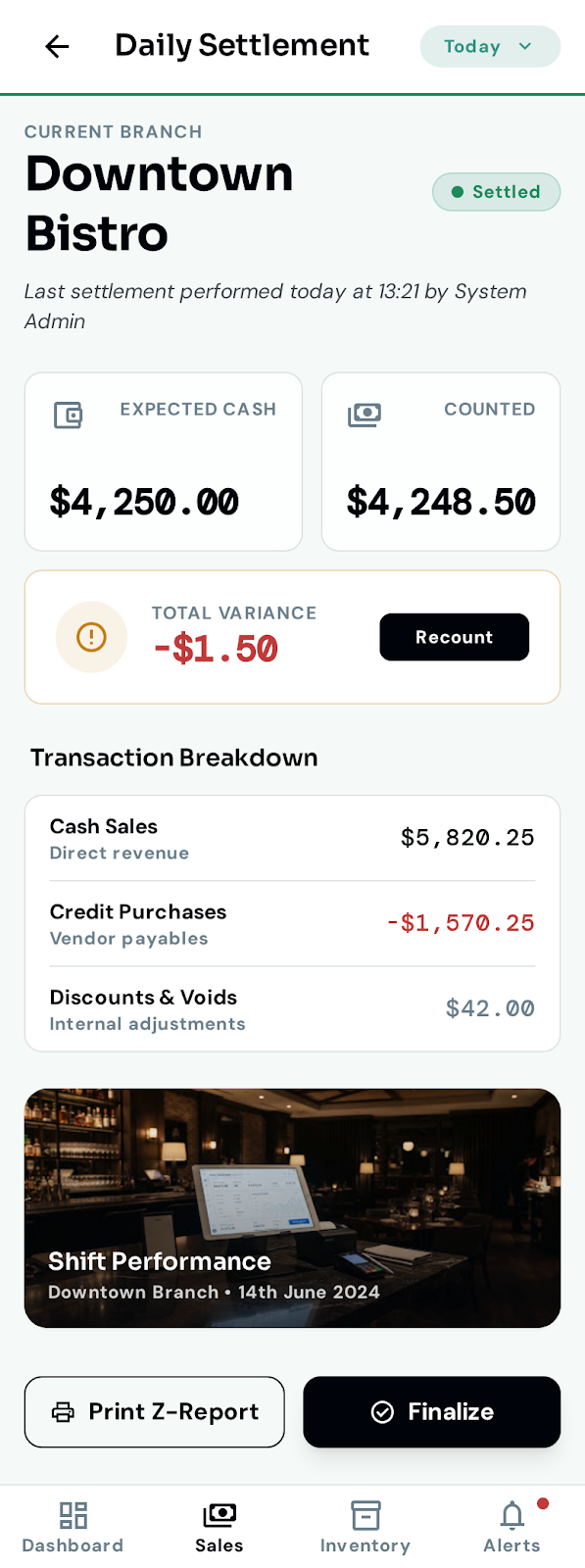
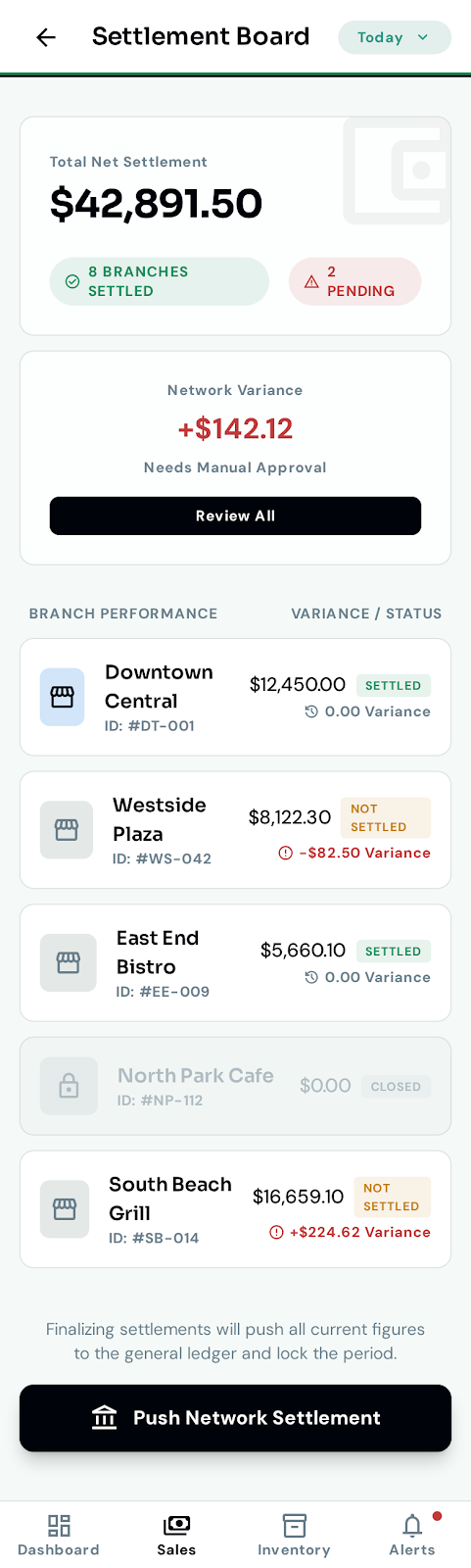
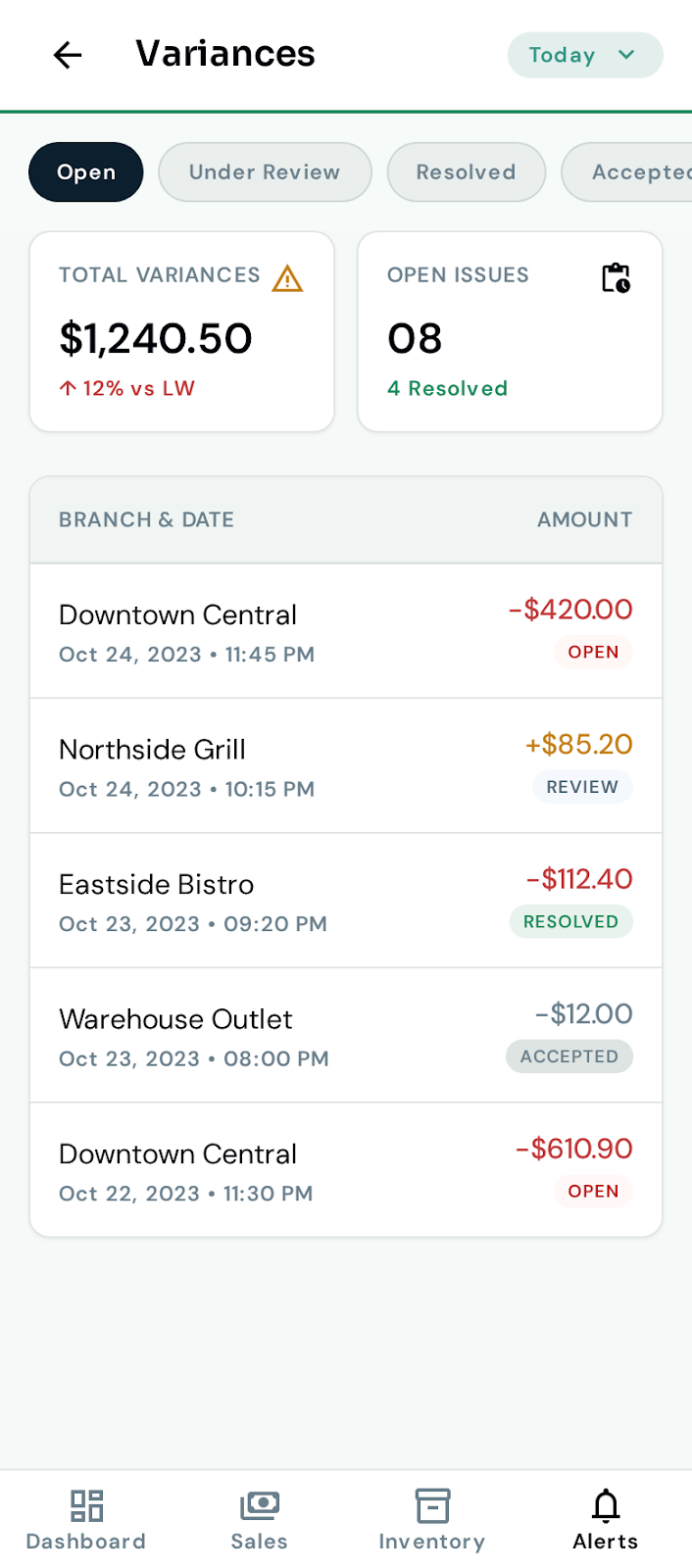
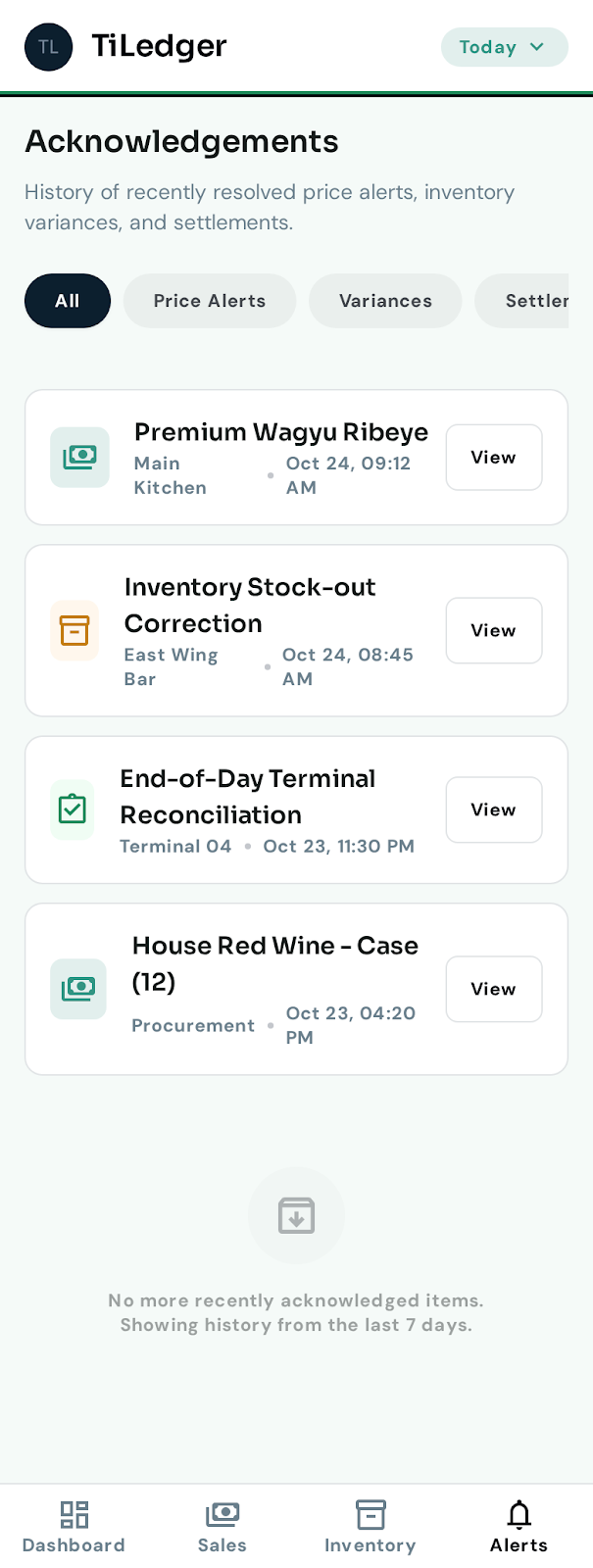
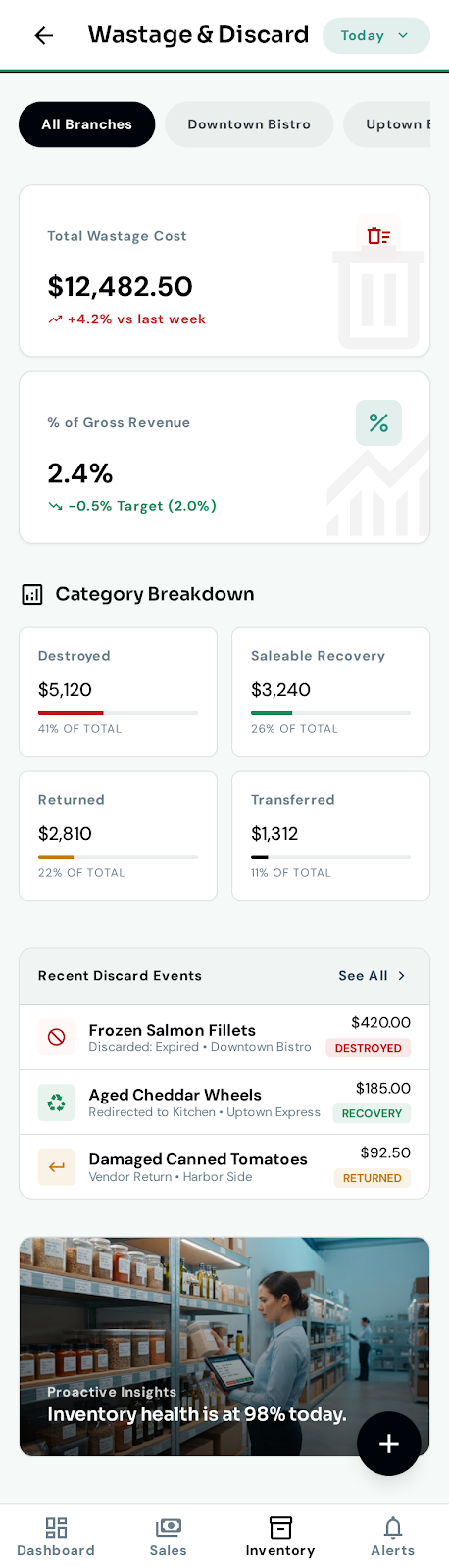
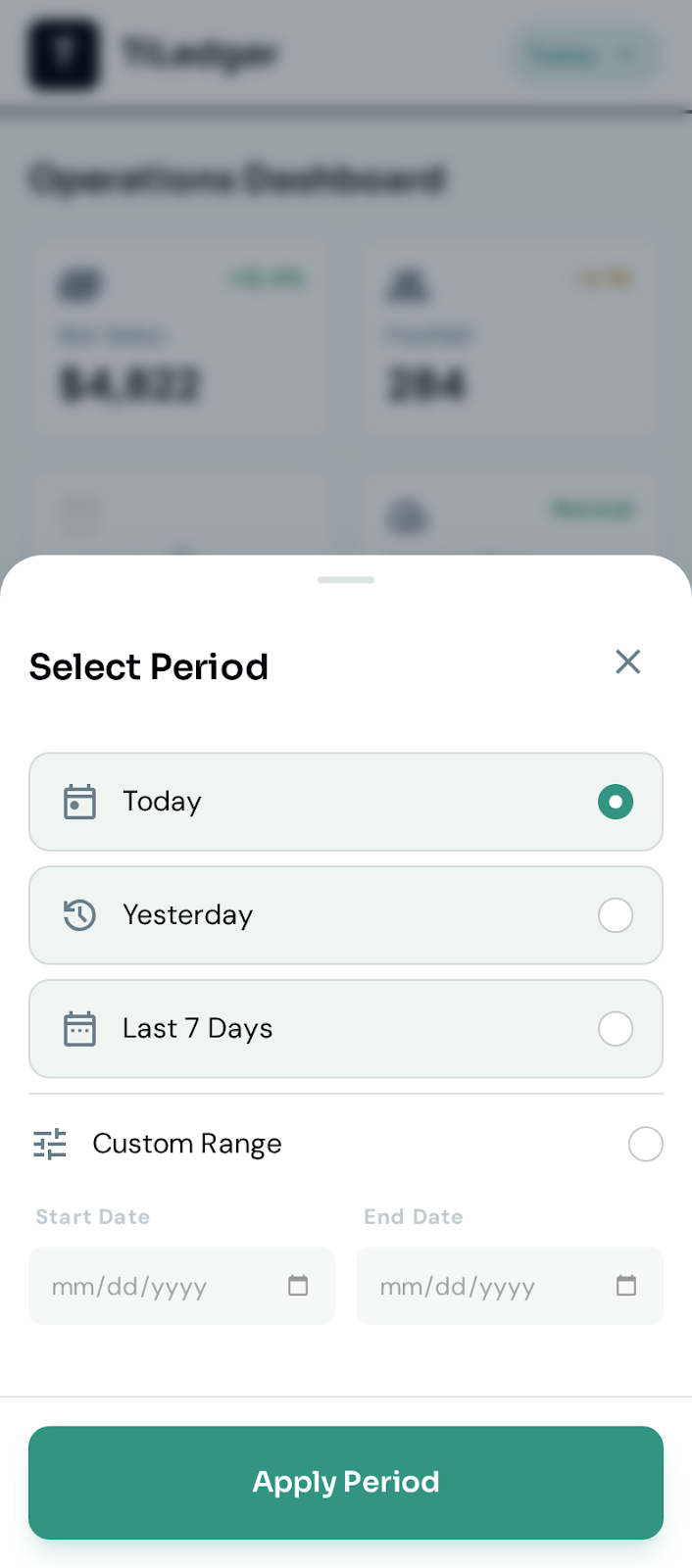
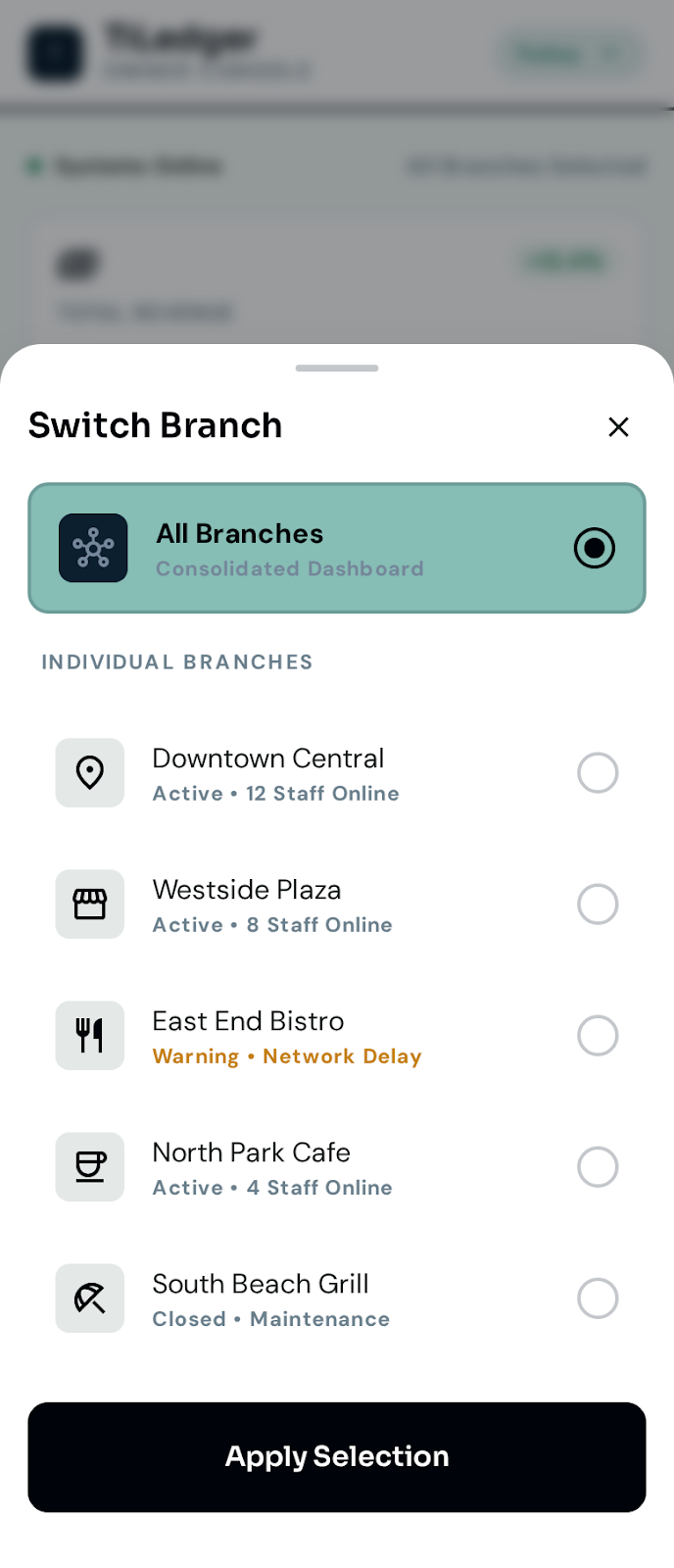
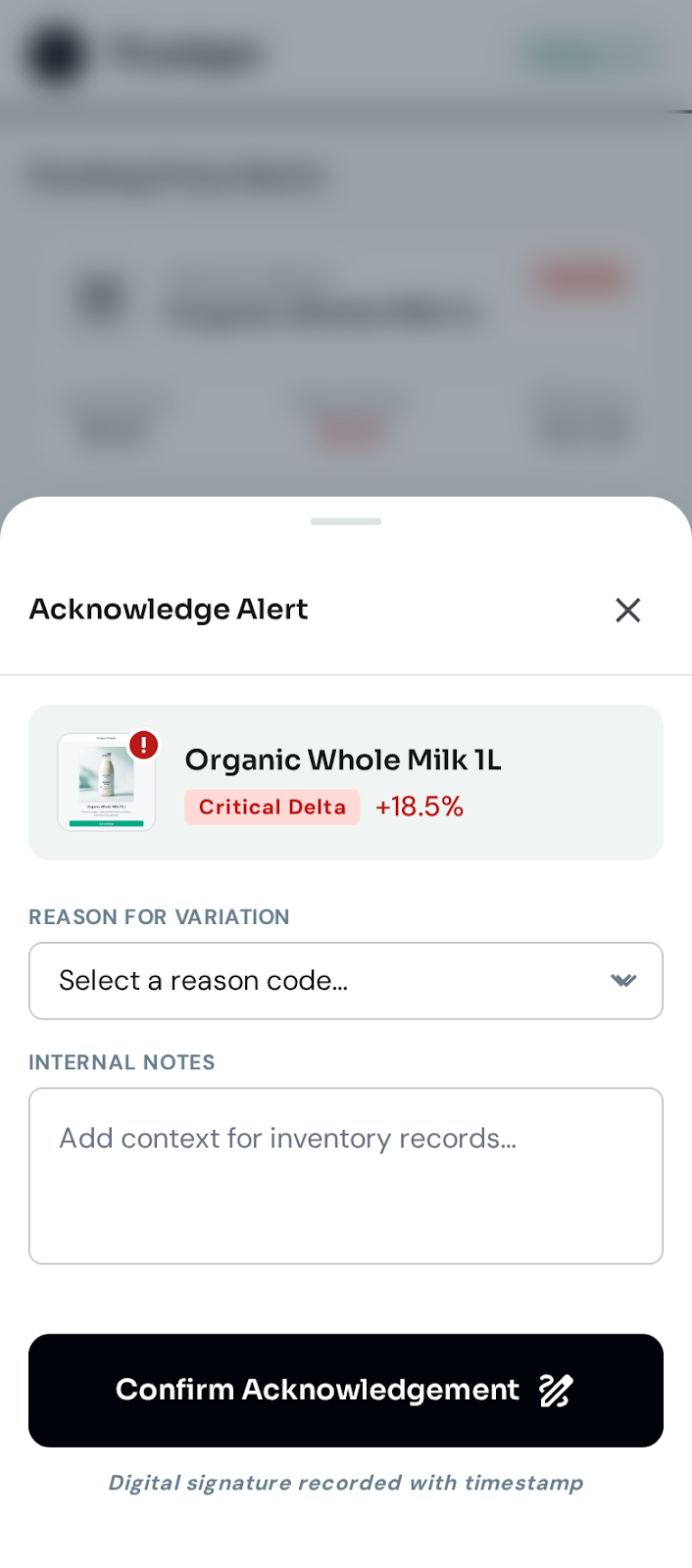
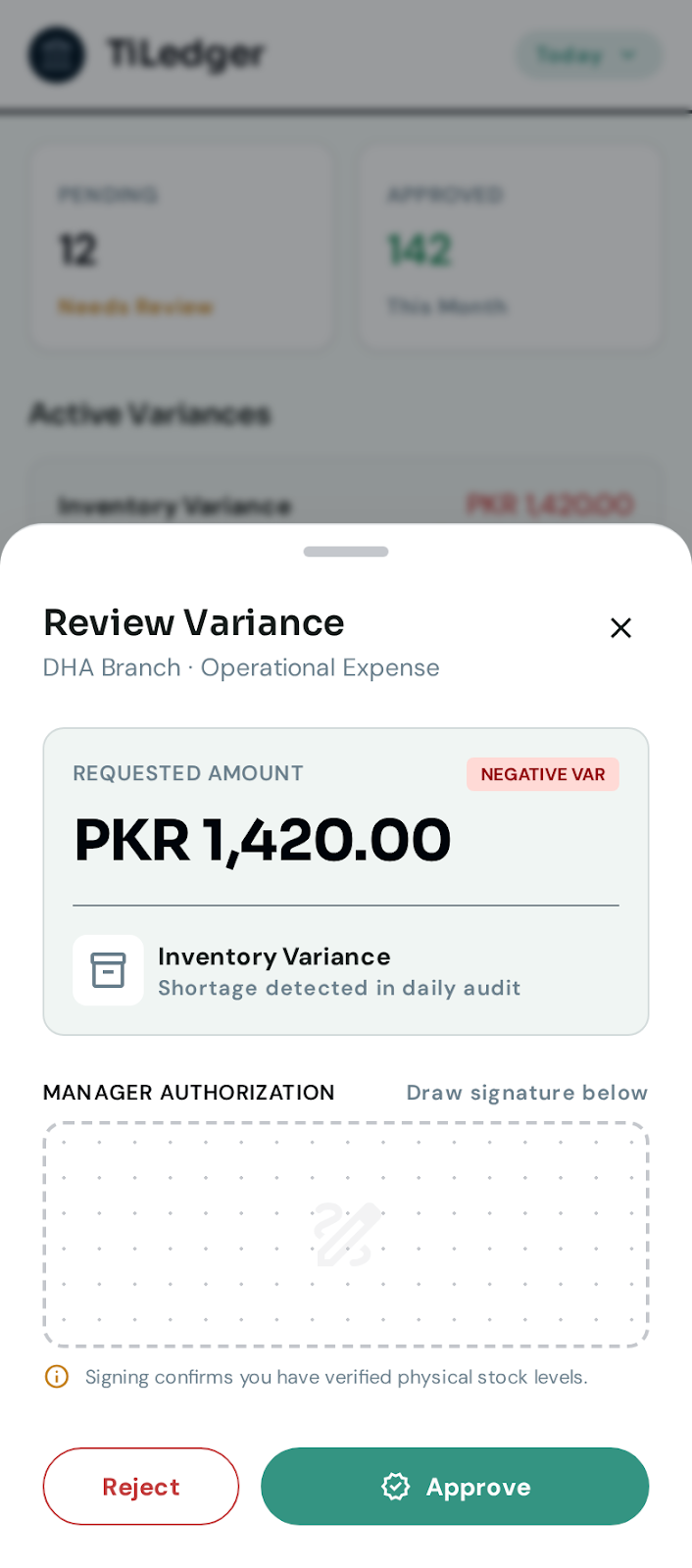
An Android-first, read-mostly monitoring app for owners and branch managers, covering nine signed-off data areas on the same JWT authentication and ERP APIs as the web platform. Sales, popular and non-popular items, price alerts, low stock, daily settlement, variance, approvals, and wastage tracking — all from a phone, with a branch switcher for multi-location operators.
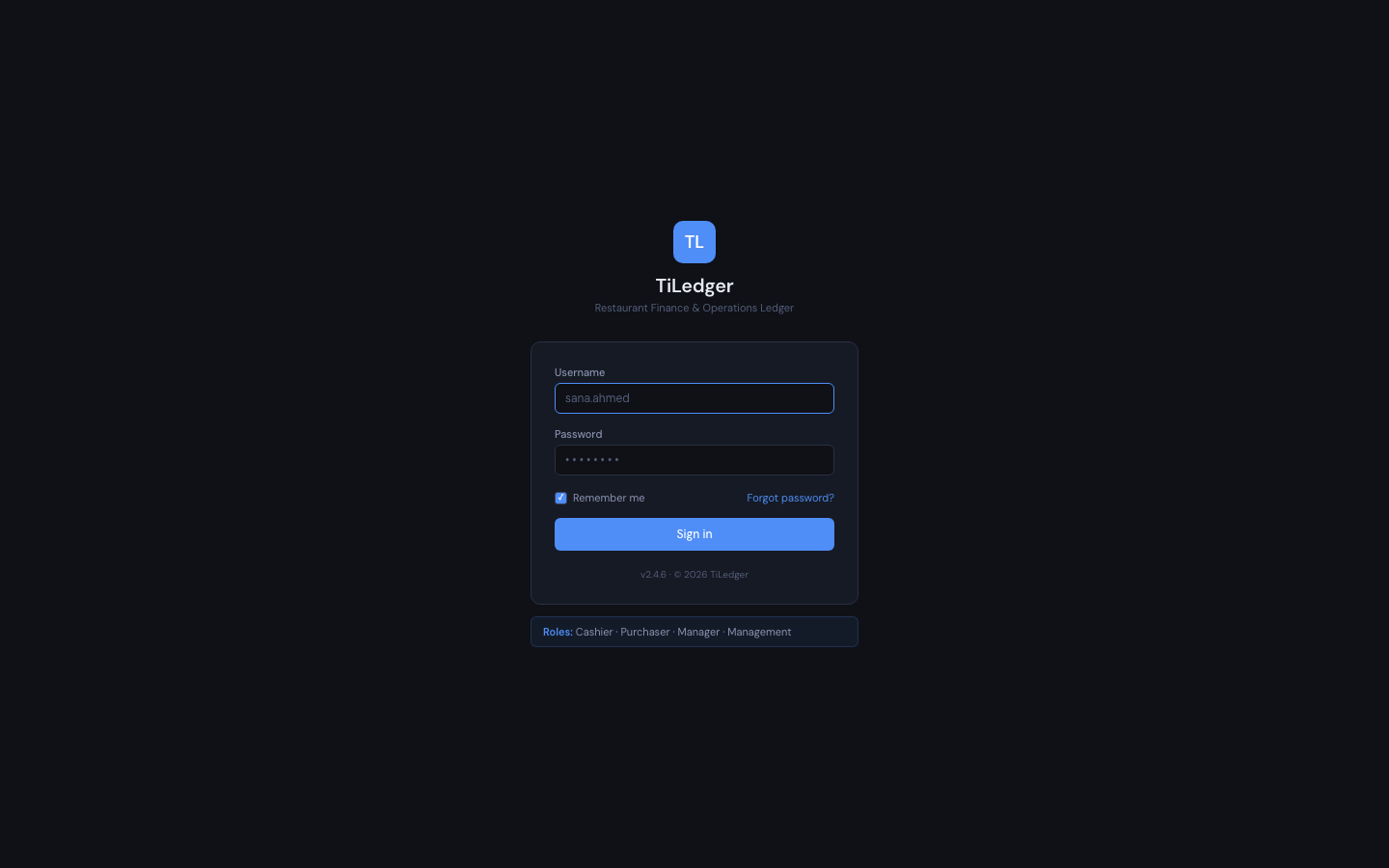
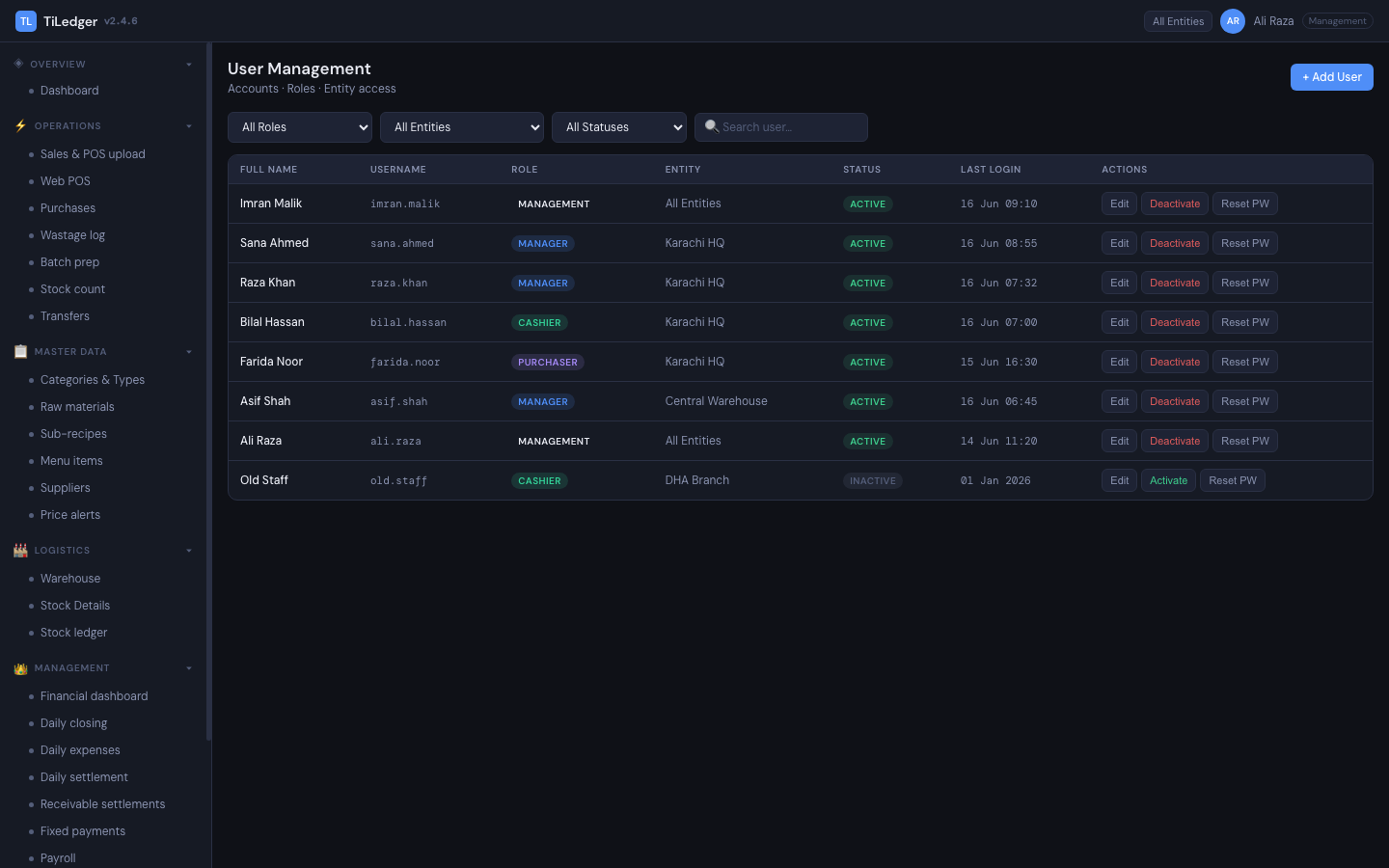
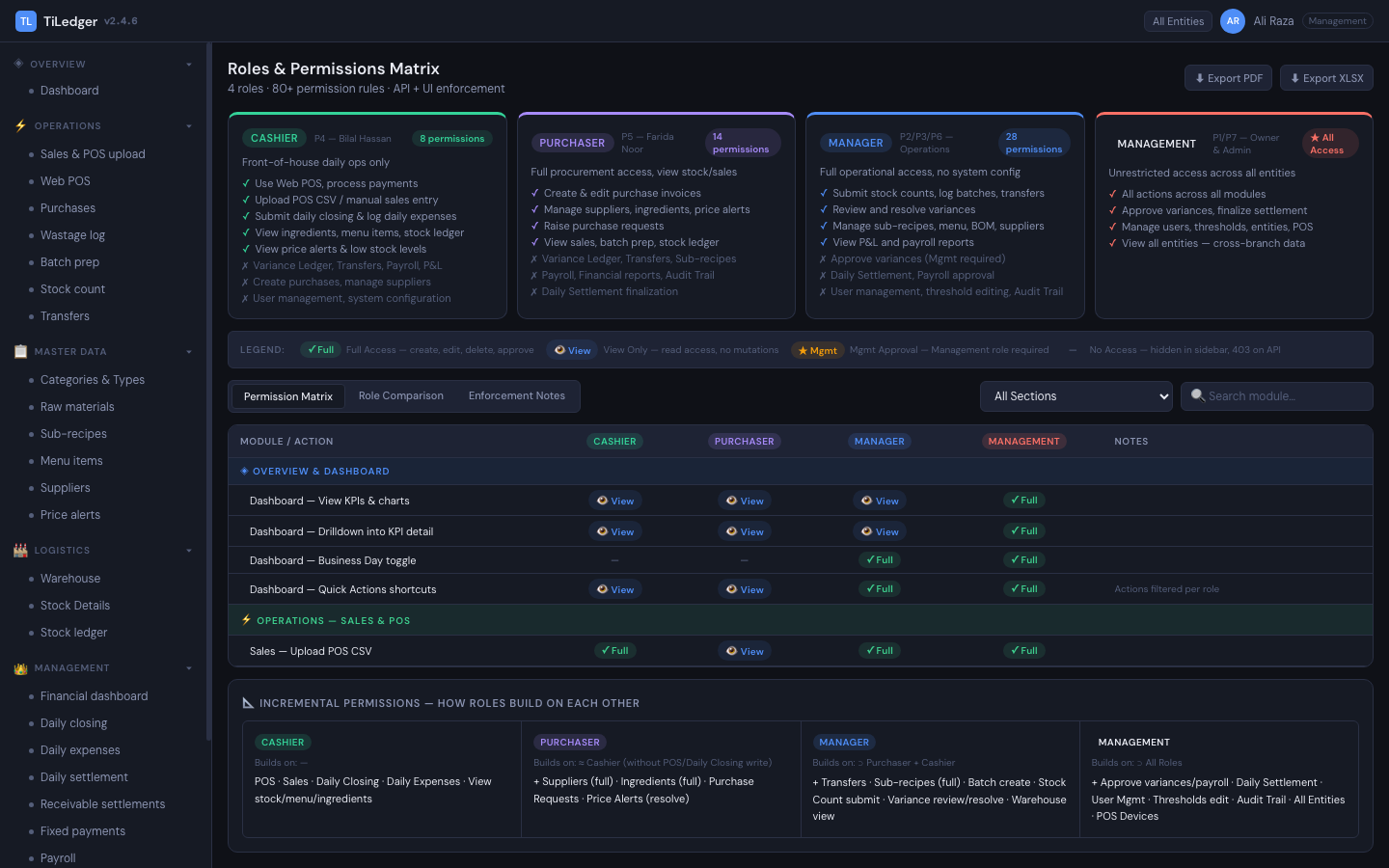
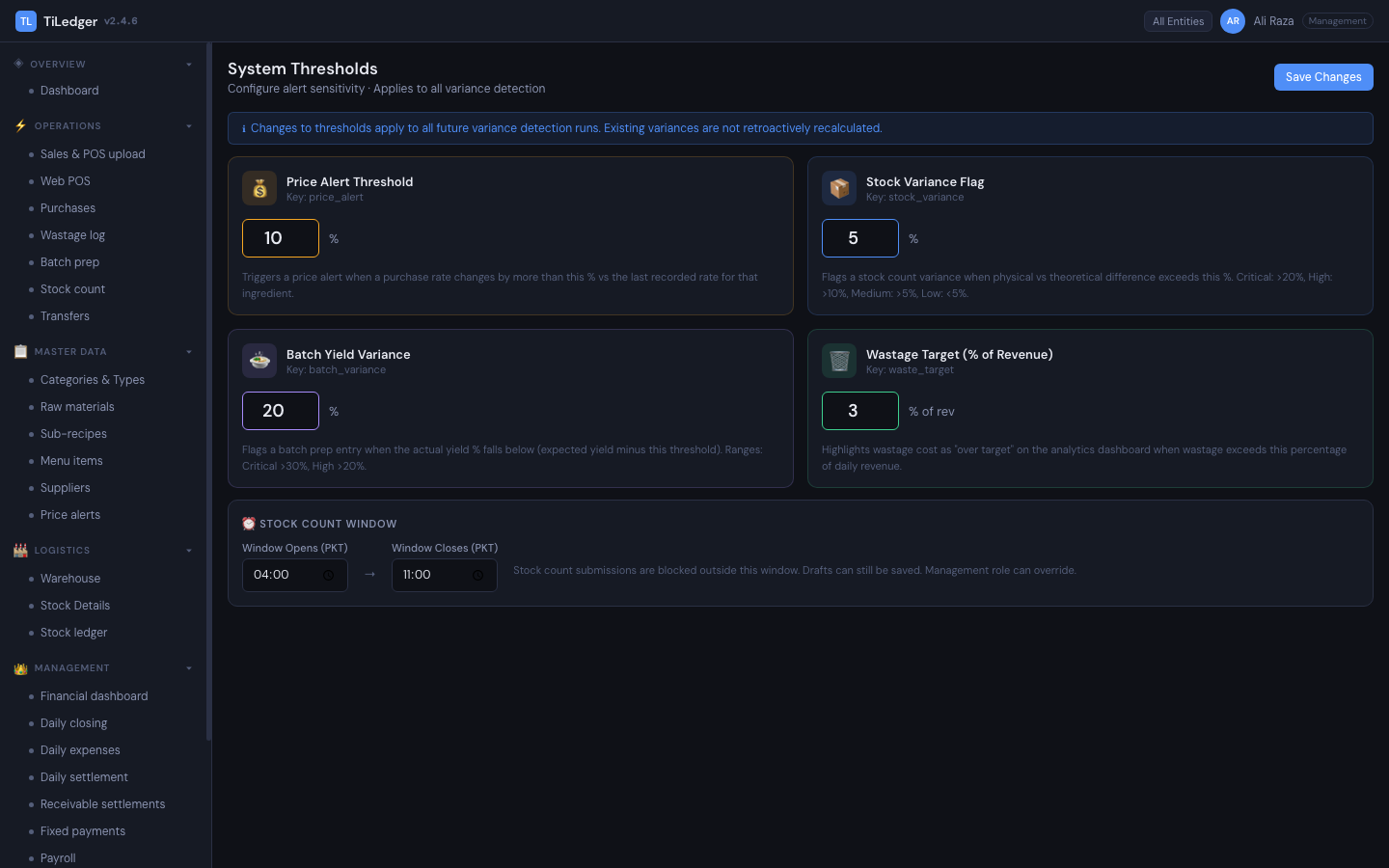
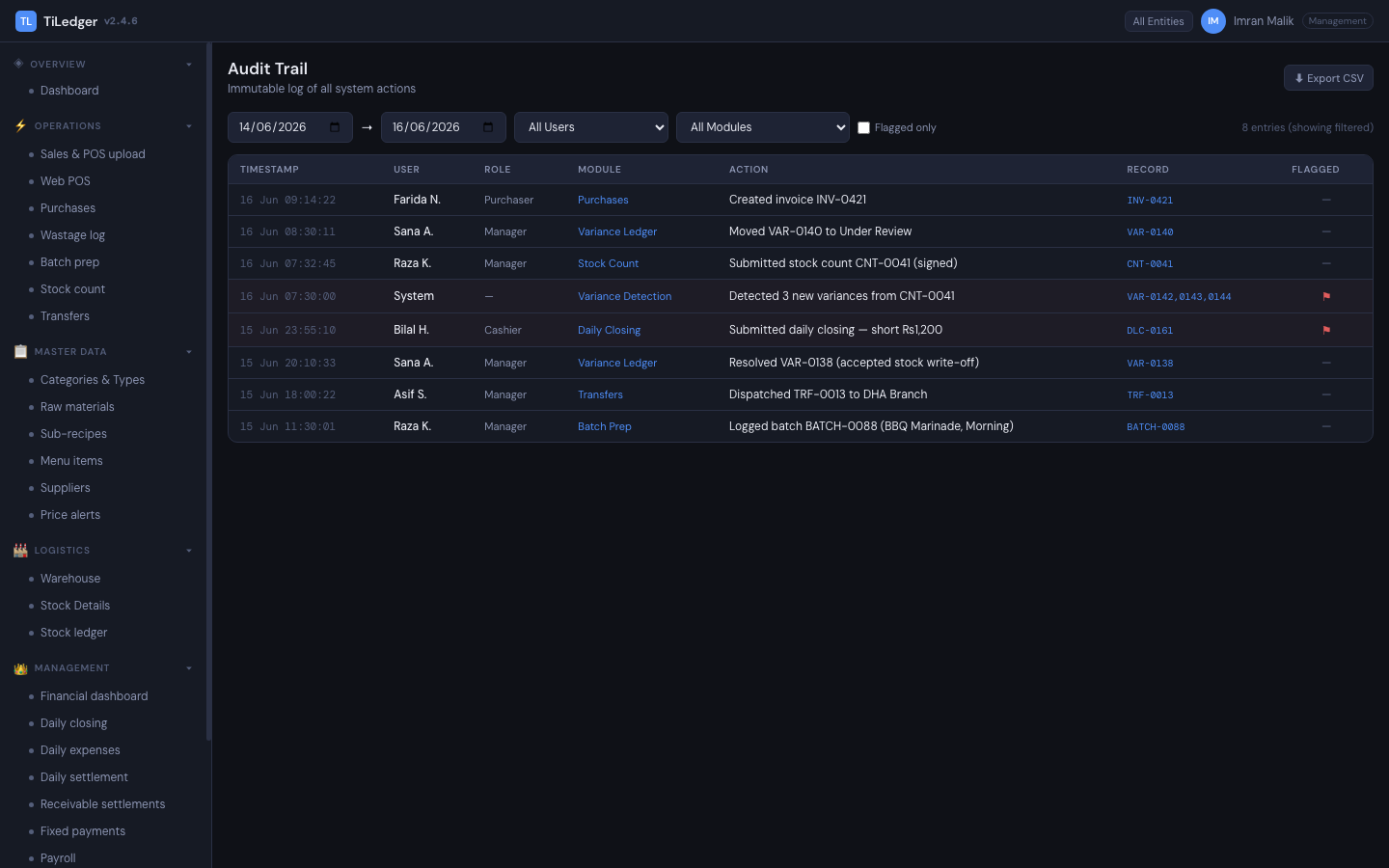
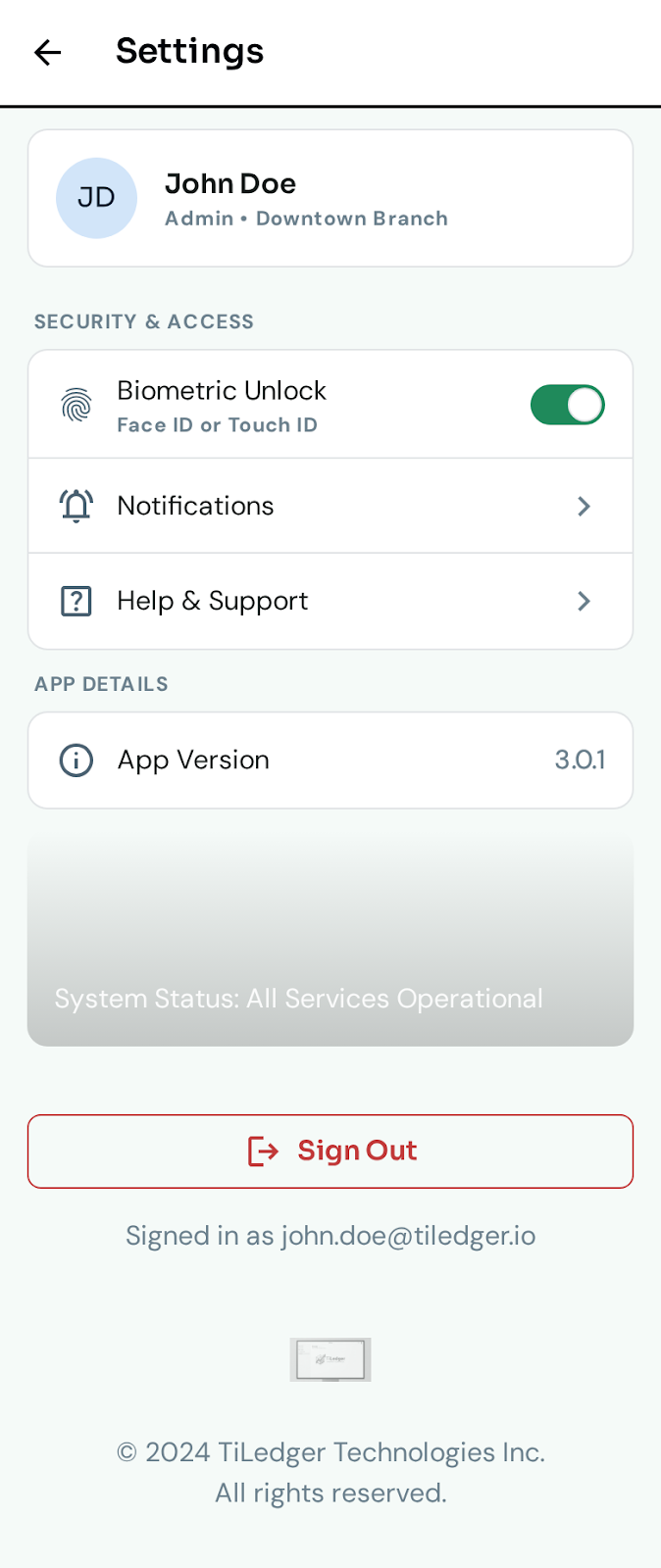
57 screens, captured from the live product
Across the ERP, web POS, order website, brand website, Settings Portal, and the owner/manager mobile app — every screen uses the actual system palette (dark chrome, accent #4f8ef7).
TiLedger ERP
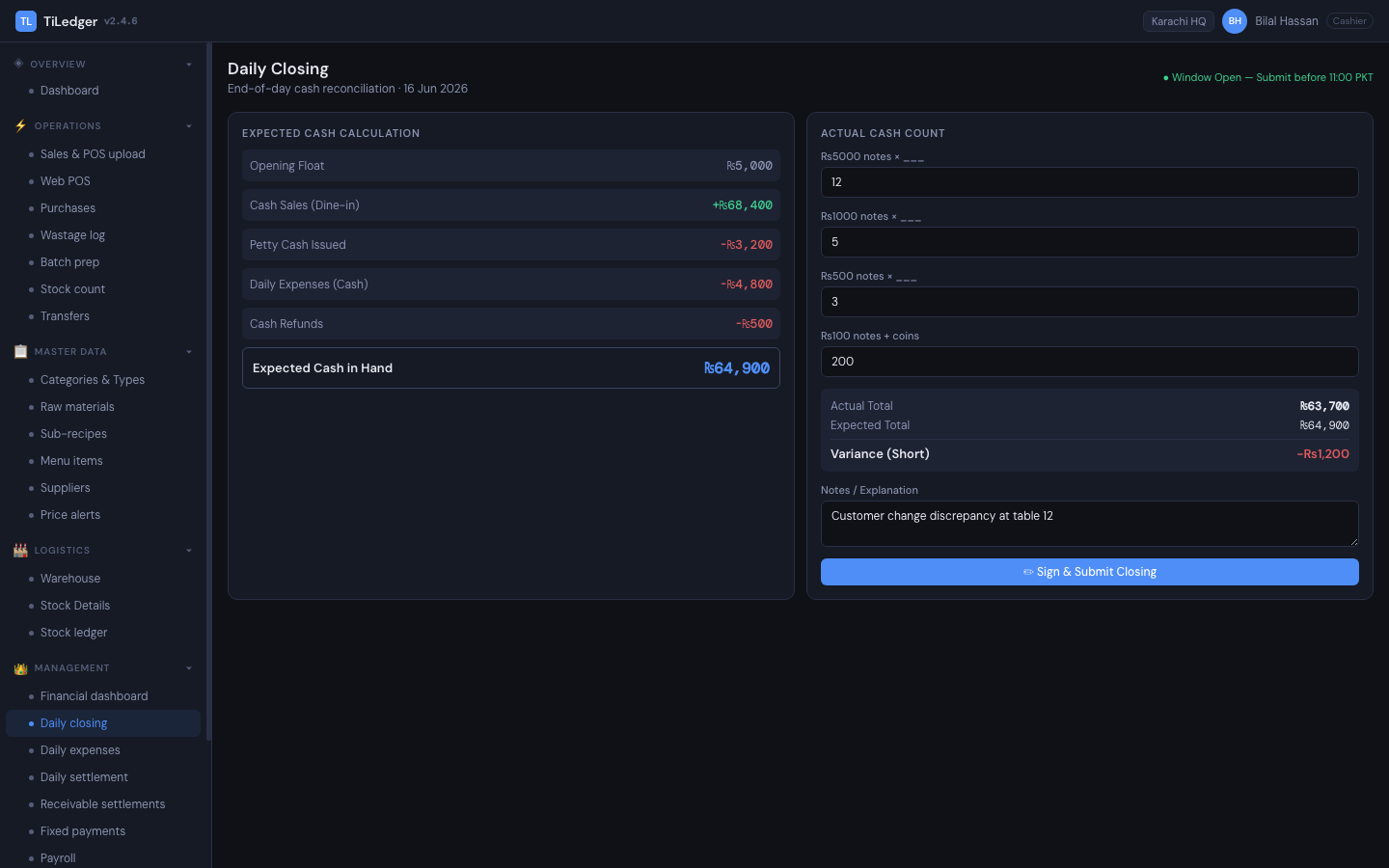
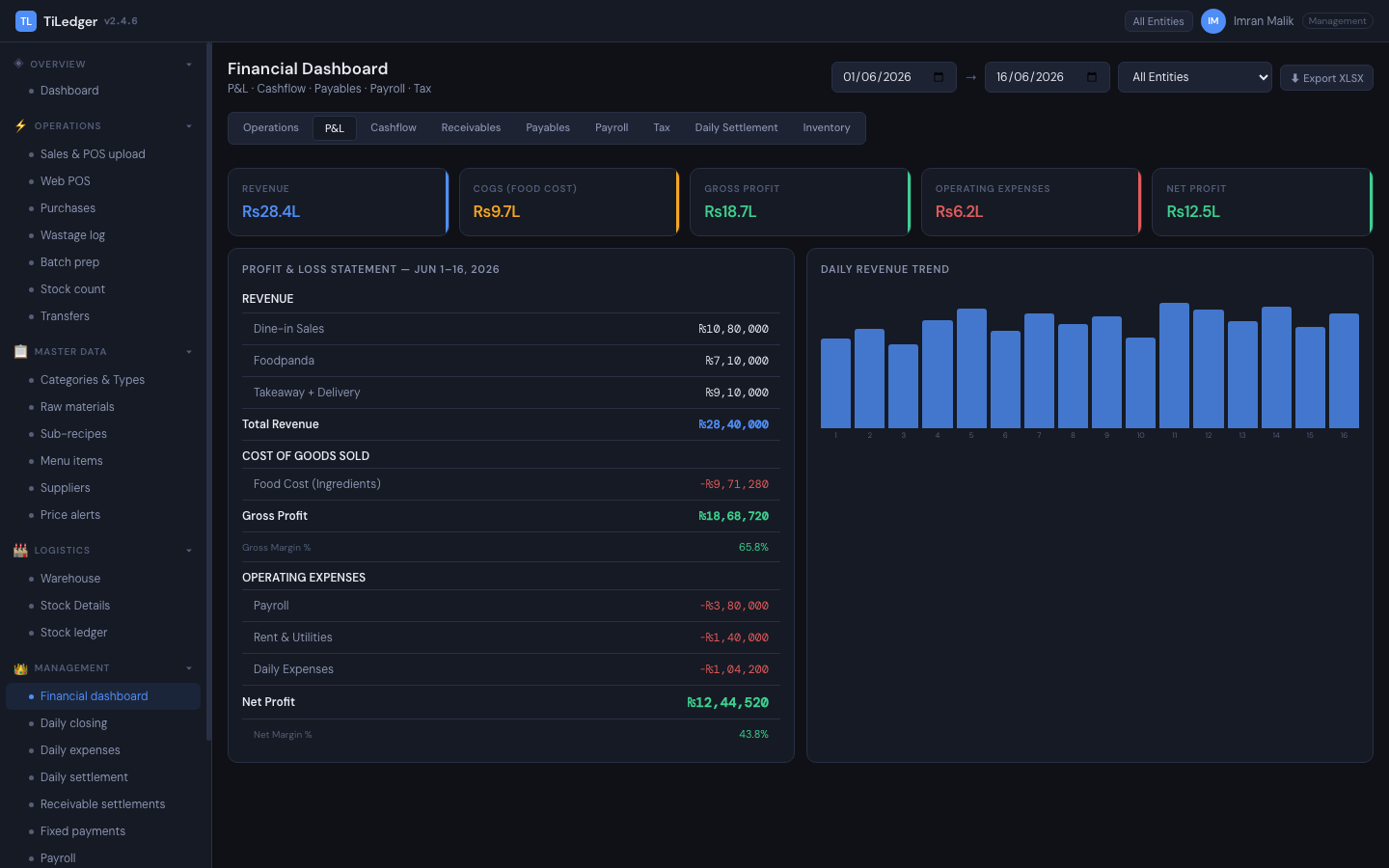
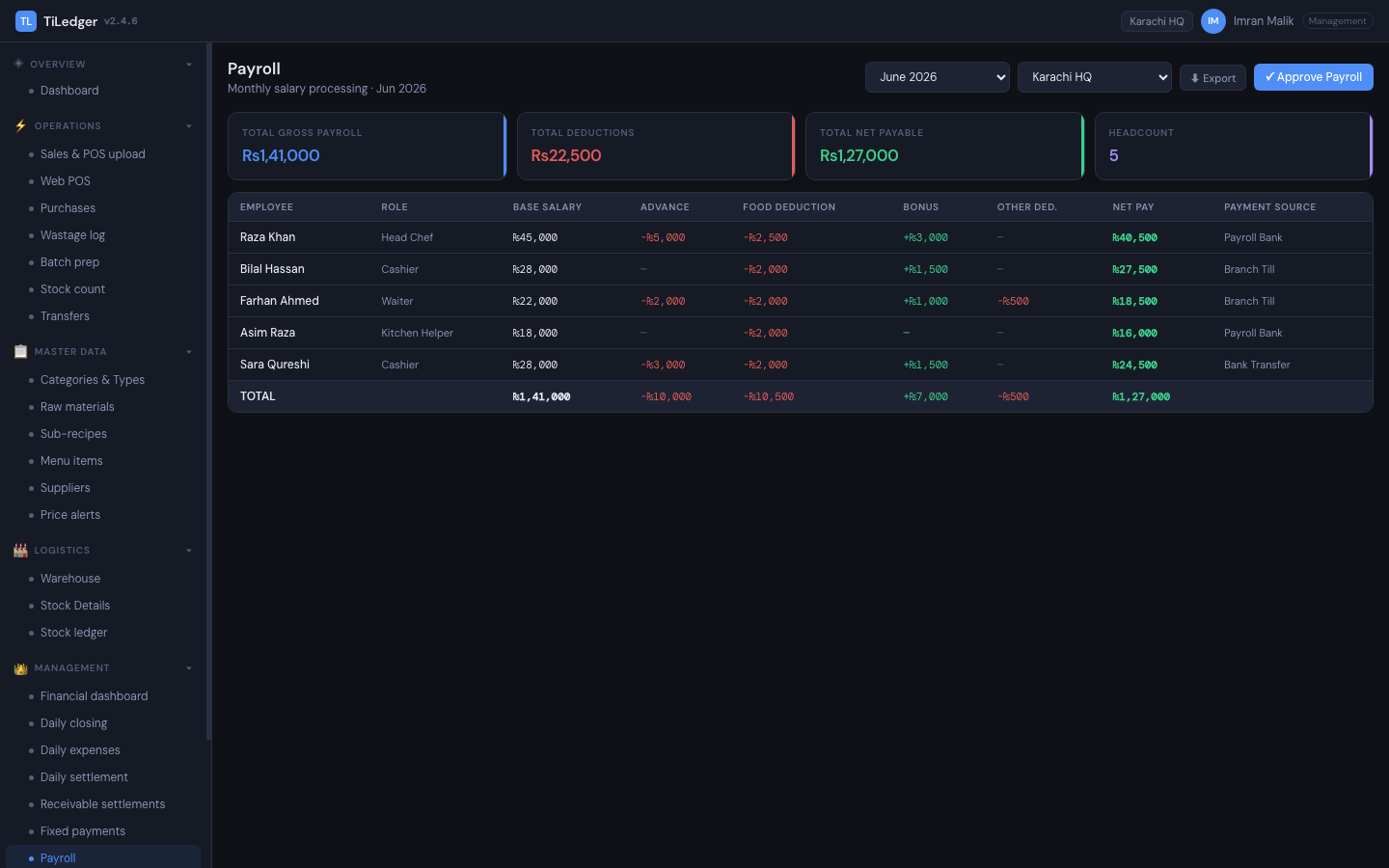
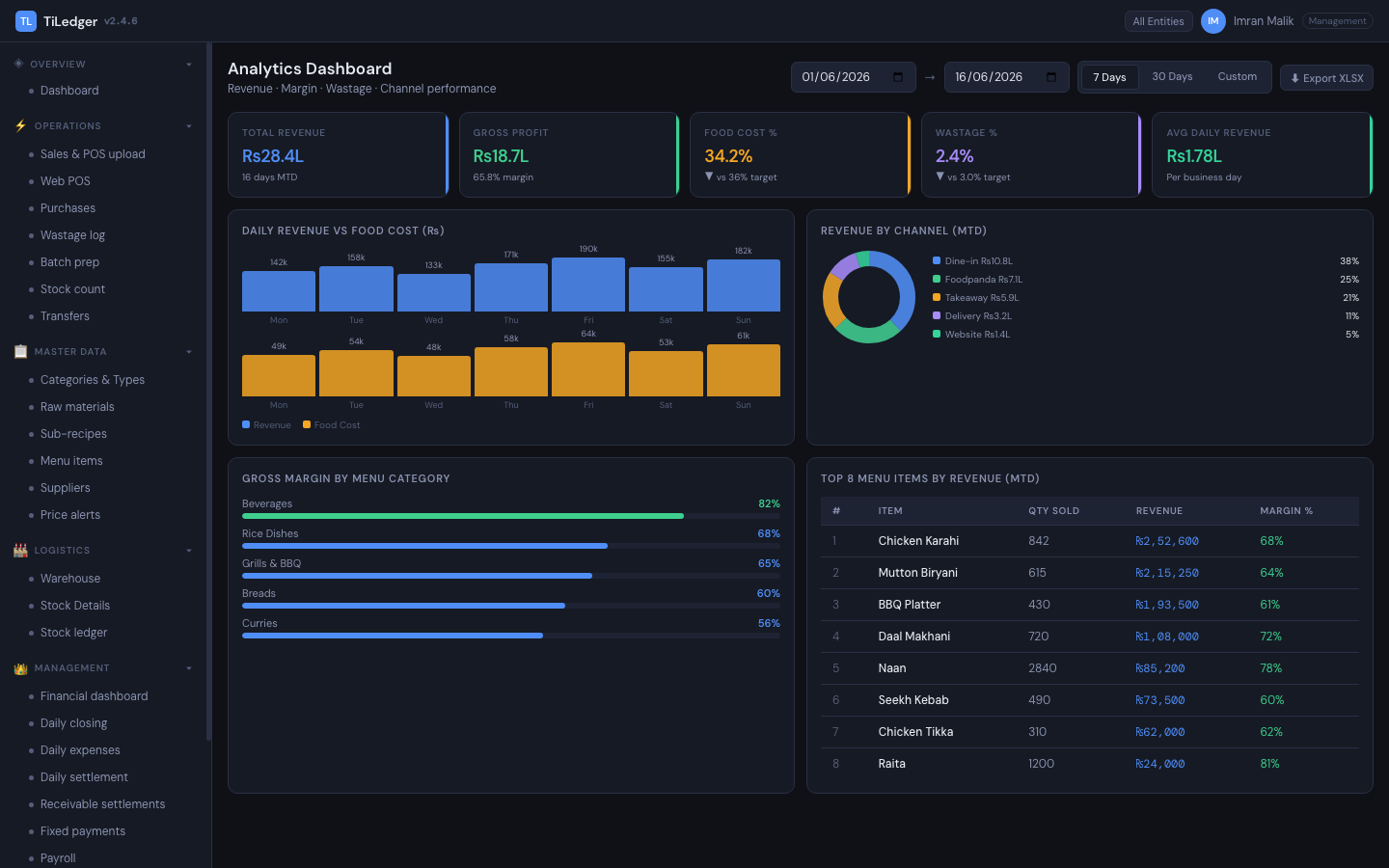
Web-based POS
Order / add-to-cart website
Brand website
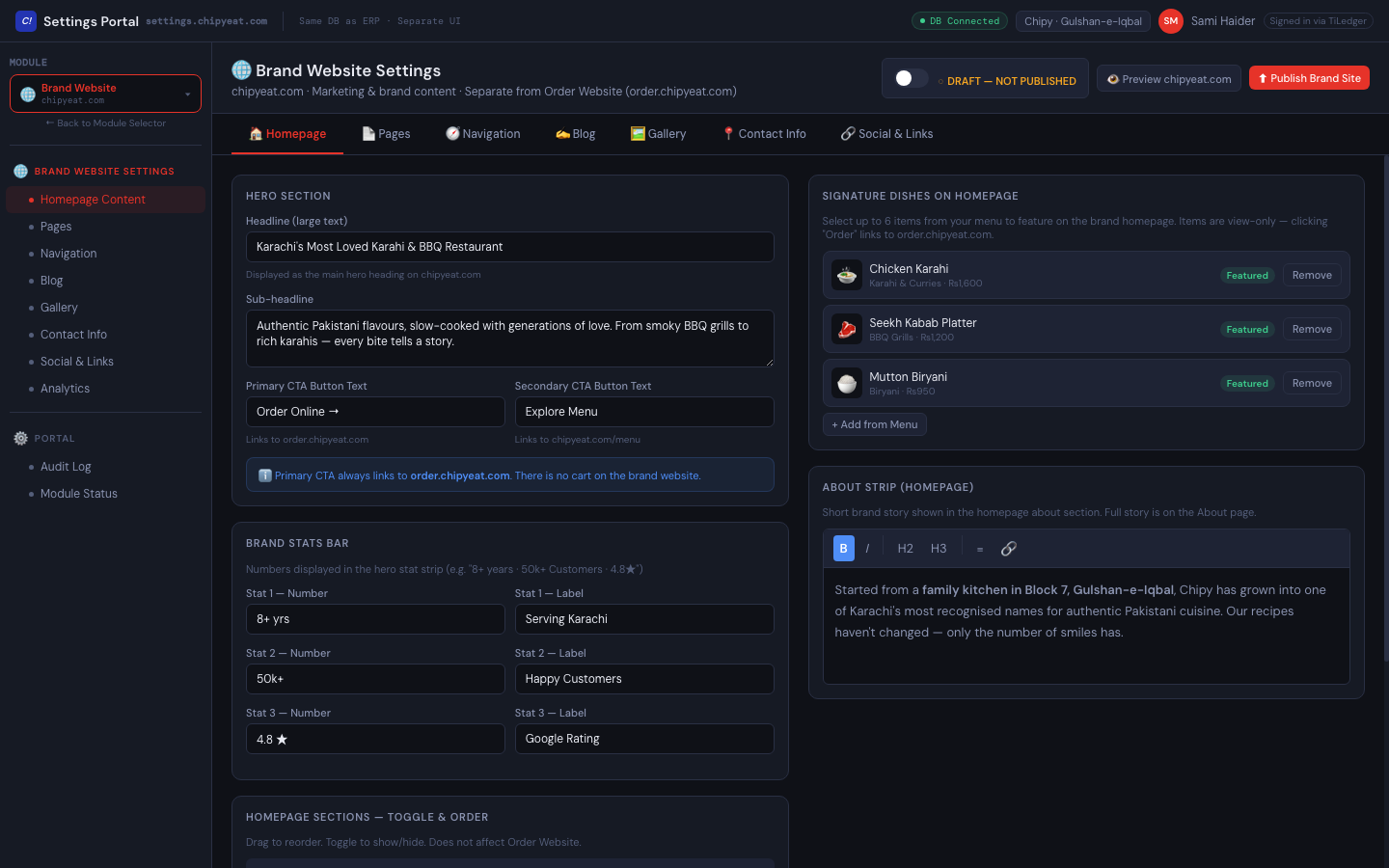
Settings Portal & SEO
Owner / Manager mobile app

Built for operators who need one ledger, not five exports
Multi-branch restaurant groups that need one ledger across locations instead of reconciling separate POS exports by hand. Independent restaurants that want food costing tied to actual recipes rather than a periodic manual recalculation. Operators who want a brand website and an ordering website included in the platform rather than sourced from a third vendor. Franchise operators who need per-location plans, role-based access and two-step sign-in from day one.
TiLedger pricing: four plans, from £39 per location
Every TiLedger plan is priced per active location per month, in GBP, excluding VAT. There is no free plan and no free trial — use the live demo to try the whole system first.
Point of Sale — £39
Per location per month. Web POS, menu and deals, customer ledger, vouchers and sales reports for one location.
Kitchen Control — £69
Per location per month. Adds live recipe costing, purchases, stock counts, wastage, variance and compliance checklists.
Growth — £119
Per location per month, many locations. Adds daily closing, finance, payroll, Outlet Control, transfers, websites, loyalty and the mobile app.
Enterprise — from £179
Per location per month, annual. Adds WhatsApp and social ordering, SSO, API access, data migration and priority support.
No free trial — live demo
The demo runs the real product on a sample restaurant. Data resets after each 30-minute session; no sign-up needed.
Setup and migration
One-time setup from £149, halved on annual billing. Data migration from your old POS from free self-import to quoted full history.
Common questions about TiLedger
What is a restaurant ERP?
A restaurant ERP unifies purchasing, inventory, food costing, point of sale, and finance into one system, so every sale, purchase, and stock movement updates the same ledger instead of living in separate, disconnected tools.
What is a bill of materials in restaurant costing?
A bill of materials (BOM) breaks a menu item down into its sub-recipes and, further, into raw materials — so when a dish sells, the system knows exactly which ingredients it consumed and at what current cost.
How does restaurant food cost calculation work in TiLedger?
Every menu item is built from a live bill of materials — raw materials into sub-recipes into the finished item. When a sale posts through the web POS, order website, or a delivery channel, it explodes automatically into ingredient consumption.
Does TiLedger integrate with delivery platforms like Foodpanda?
Delivery-app integrations, including Foodpanda, are rolling out on the Enterprise plan. Today, orders from the TiLedger order website, WhatsApp and the till already post to the same stock and finance ledger, and the POS has an integrations area with masked API keys ready for delivery apps.
Does TiLedger include a website, or do I need a separate one?
From the Growth plan, a brand website (story, menu, gallery, blog) and an order website (add-to-cart, checkout, tracking) are included per company on its own domain, managed through the same Settings Portal as the rest of the platform.
Can I try TiLedger before I buy?
Yes, through the live demo. TiLedger has no free plan or free trial; instead, the demo at tiledger-demo.mutexsystems.co.uk runs the real product on a sample restaurant with a month of data. Each session lasts 30 minutes and the data is reset afterwards.
How much does TiLedger cost?
TiLedger costs £39 per location per month for Point of Sale, £69 for Kitchen Control, £119 for Growth and from £179 for Enterprise, in GBP excluding VAT. A one-time setup fee applies, and annual billing gives 2 months free.
How do I track inventory variance across branches?
The variance ledger sits alongside the stock ledger and updates from every stock count, transfer, and sale — giving a full audit trail per branch that HQ and accountants can review without reconciling spreadsheets by hand.
Ready to see TiLedger on your menu?
Powered by Mutex Systems. Explore the full SaaS portfolio →
Book a TiLedger walkthrough
Tell us how many locations you run and which POS you use today. We'll show you TiLedger on your own menu and quote setup and data migration in writing.
- A product specialist replies personally — not a bot
- No obligation after the first conversation
- WhatsApp support also available 24/7
By submitting, you agree to be contacted about your enquiry. We respect your privacy.
Book a meeting directly
Pick a time that works for you — 30 minutes with a product specialist, no sales script.
Ready to see TiLedger on your menu?
We respond within one working day — or reach us instantly on WhatsApp.